Use
28.03.2022 67 / 112
5.6 ChronoMaster Air
5.6.1 Connecting the ChronoMaster Air
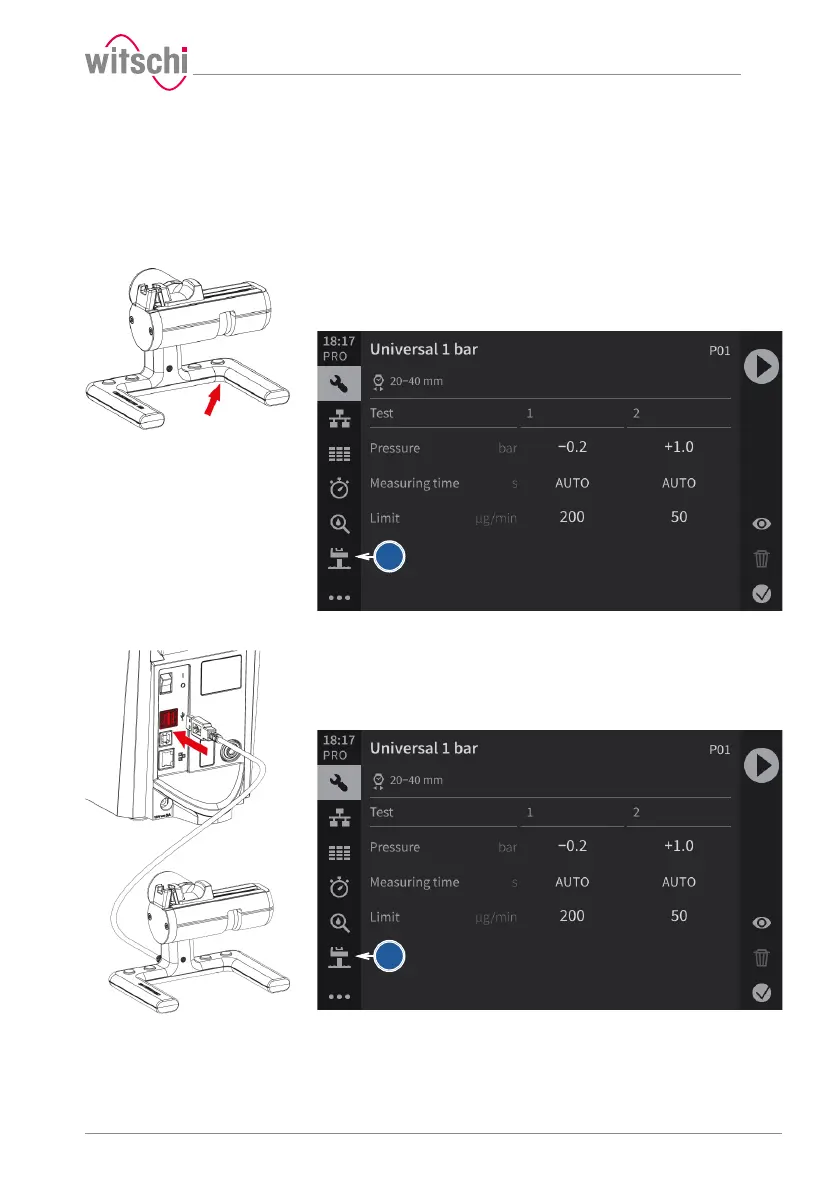
With the Bluetooth dongle
ü The ChronoMaster Air is connected via the Bluetooth dongle, see
ChronoMaster Air (establishing a connection for Bluetooth)
[}Page103].
a) Switching on the ChronoMaster Air (switch under the base).
ð The ChronoMaster menu is displayed in the bottom left of the
screen.
With the USB cable
ü The ProofMaster is switched on, see Switching on the
Proofmaster [}Page37].
a) Insert the USB connector for the ChronoMaster into an unused
USB port on the ProofMaster.
ð The ChronoMaster menu is displayed in the bottom left of the
screen.
5.6.2 Starting the measurement
ü The ChronoMaster is connected to the ProofMaster; see
Connecting the ChronoMaster Air [}Page67]



 To Next Page