Use
28.03.2022 45 / 112
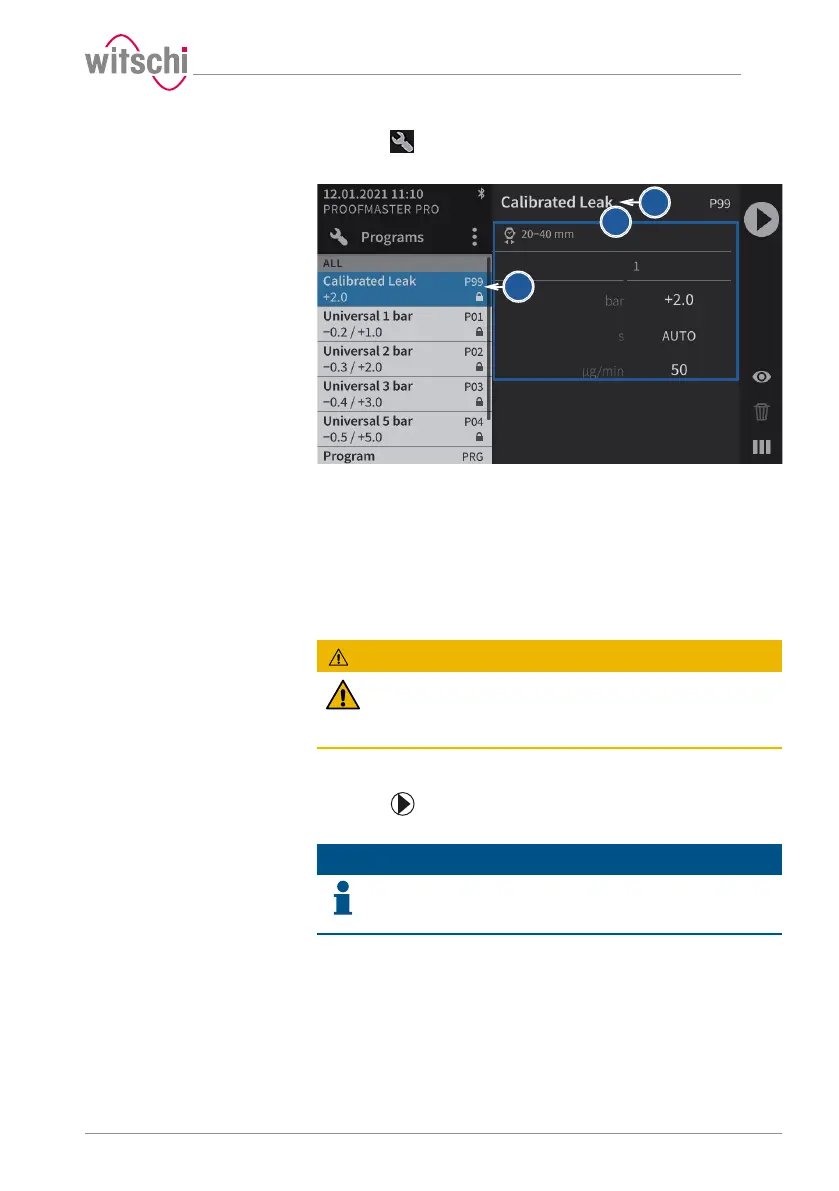
a) Press .
ð The Select program screen appears.
b) Press the required program in the list.
ð The program is selected and its name1 and its parameter2
are shown.
5.2.8 Starting the test
a) Select the program.
ð See Selecting the program (ProofMaster PRO) [}Page44]
and/or Programming a quick test [}Page41].
CAUTION
Observe all safety regulations for the test pressures in
order to avoid accidents and damage to the watch or the
ProofMaster!
See Safety regulations [}Page15].
b) Positioning a watch on the support.
ð See Positioning the watch [}Page46].
c) Press to start the test.
ð The bell cover closes and the test begins.
Info
If one of the test steps fails, the entire test is considered a
failure and is aborted immediately.
The bell cover opens.
d) Follow the test procedure.
ð See Displaying test results [}Page49].
e) Wait until the bell cover is open.
ð The bell cover opens automatically at the end of the test.
f) Read the test result.
ð See Displaying test results [}Page49].



 To Next Page