Settings
28.03.2022 93 / 112
7.6.3 Exporting measurements
Info
This function is intended for analysis by Witschi Electronic
AG Customer Service.
The ProofMaster allows you to export measurement data using a USB
stick. This enables the measurements that have been performed to be
analysed by Witschi Electronic AG.
Exporting
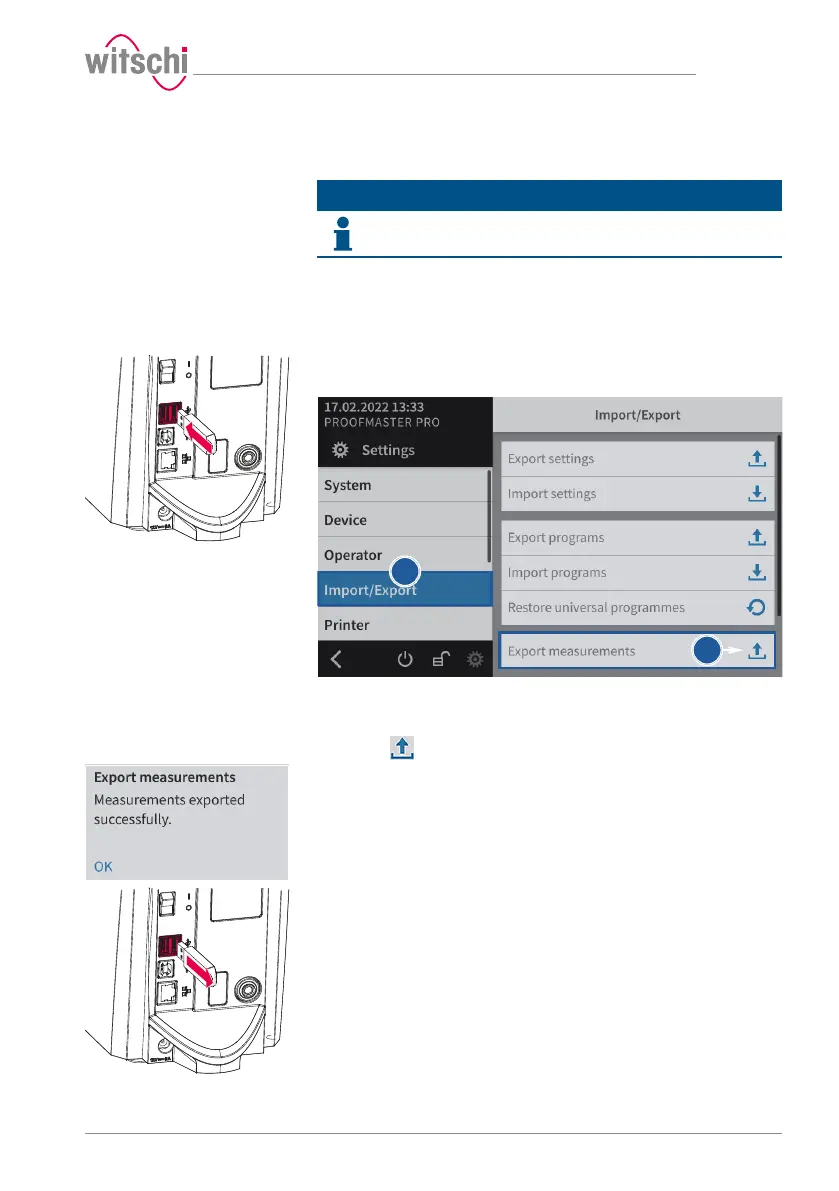
a) Insert the USB stick on which the measurement data is to be
stored in the ProofMaster.
b) Select Import/export from the list.
ð Import/export is highlighted in blue and the right window
displays the import/export options.
c) Press Export measurements.
ð A window appears confirming the successful completion of
the measurement data export.
ð The measurement data of the ProofMaster has been
exported to the USB stick in the mesures.json file.
d) Remove the USB stick.



 To Next Page