Use
28.03.2022 43 / 112
5.2.6 Selecting the program (ProofMaster)
Info
The tile view only exists on the ProofMaster. Not on the
ProofMaster PRO.
Preset programs
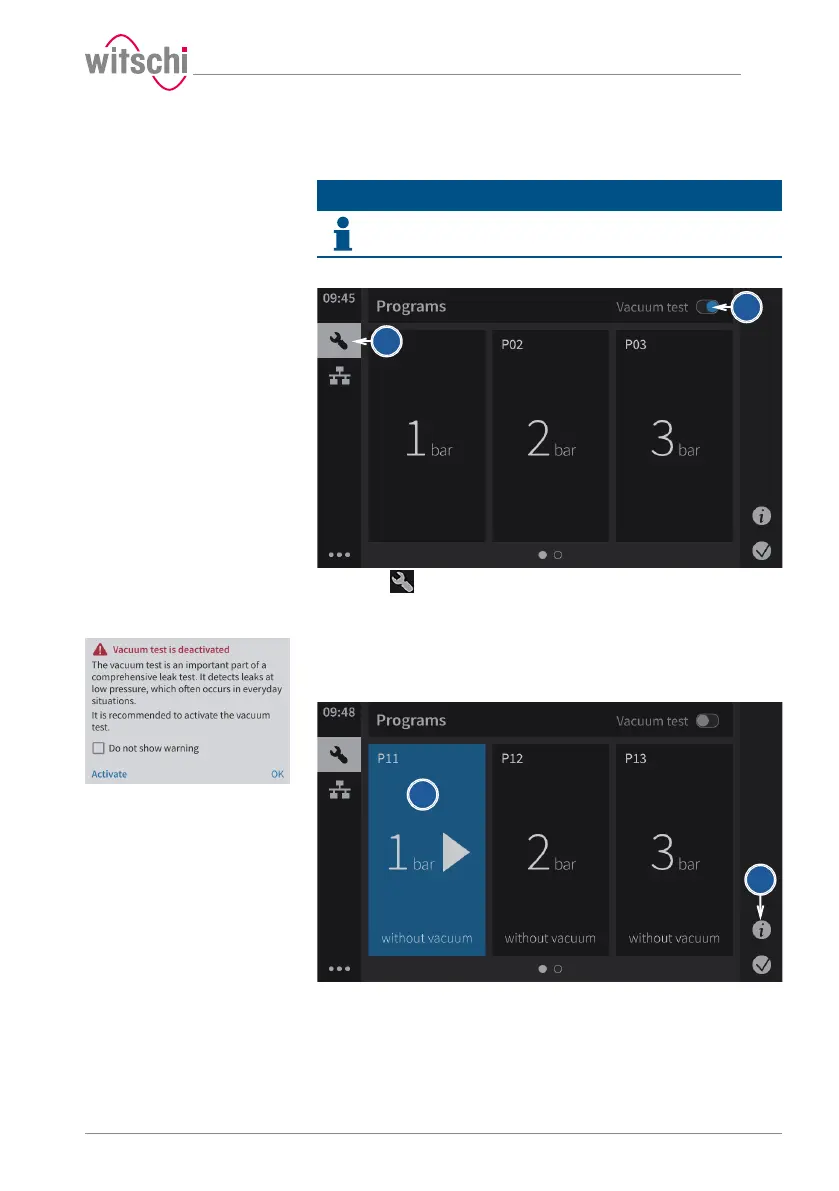
The vacuum test can be activated or deactivated.
a) Press .
ð The Select program screen appears.
b) Determine whether the vacuum test is to be performed.
ð It is possible to deactivate the display for this pop-up.
c) Press Activate to keep the vacuum test or OK to deactivate the
vacuum test.
d) Press the required program in the list or swipe the screen from
right to left to select other available programs.
ð The selected program is shown in blue.
ð The vacuum test is shown or hidden depending on what you
have previously selected.
e) Press Details to see the preset settings for the measurement.



 To Next Page