Settings
28.03.2022 81 / 112
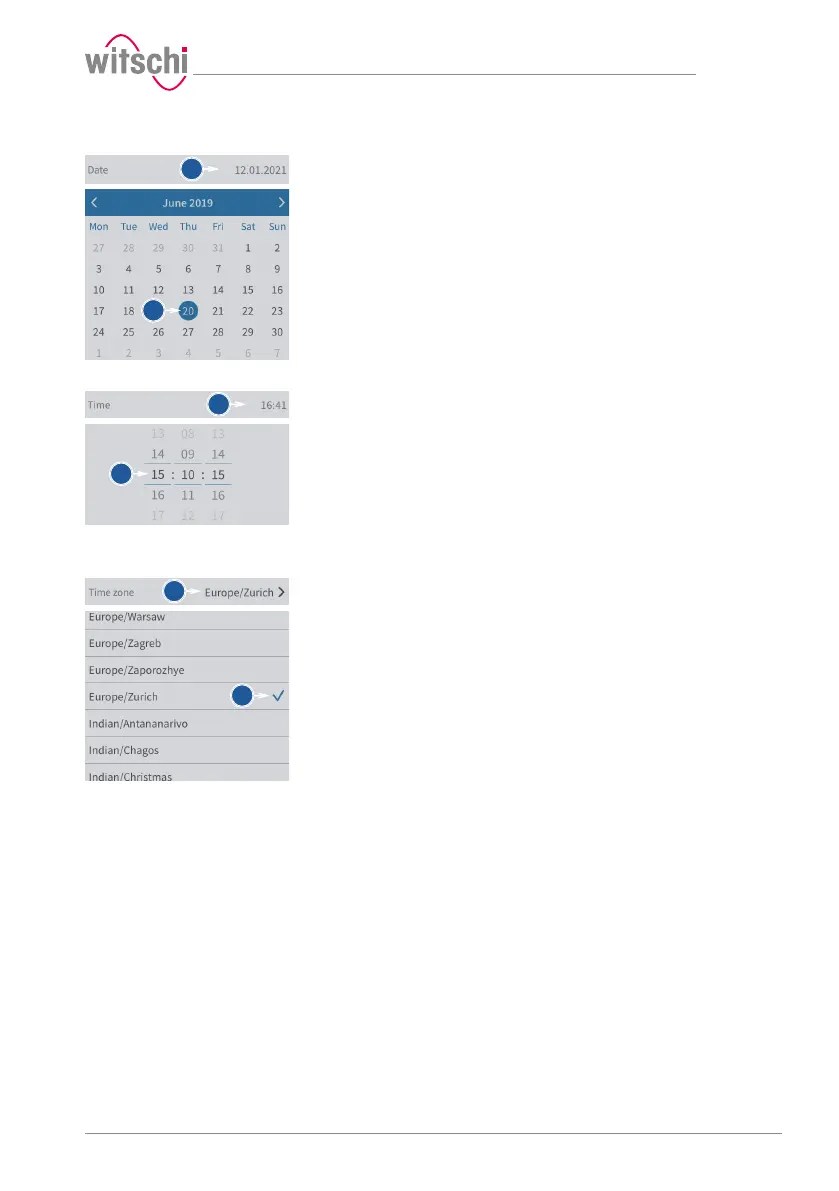
Setting the date manually
ü The automatic setting of the date and time is disabled.
a) Open the date selection by tapping the displayed date.
b) Select the desired date in the calendar.
Setting the time manually
ü The automatic setting of the date and time is disabled.
a) Open the time selection by tapping the displayed time.
b) Select the desired time.
Setting the time zone
manually
ü The automatic setting of the date and time is disabled.
a) Open the time zone selection by tapping the displayed time zone.
b) Select the desired time zone.
7.3.5 Automatic software update
With the further development of the ProofMaster, the software will also
be improved. It is possible to configure an automatic update of the
software. The ProofMaster must have an Internet connection in order to
be able to communicate with the Witschi Electronic AG update server.



 To Next Page