Use
68 / 112 28.03.2022
a) Open the clamping jaws.
b) Insert the calibre, ensuring that the winding stem is next to the
microphone.
c) Release the clamping jaws.
d) Press to start a measurement.
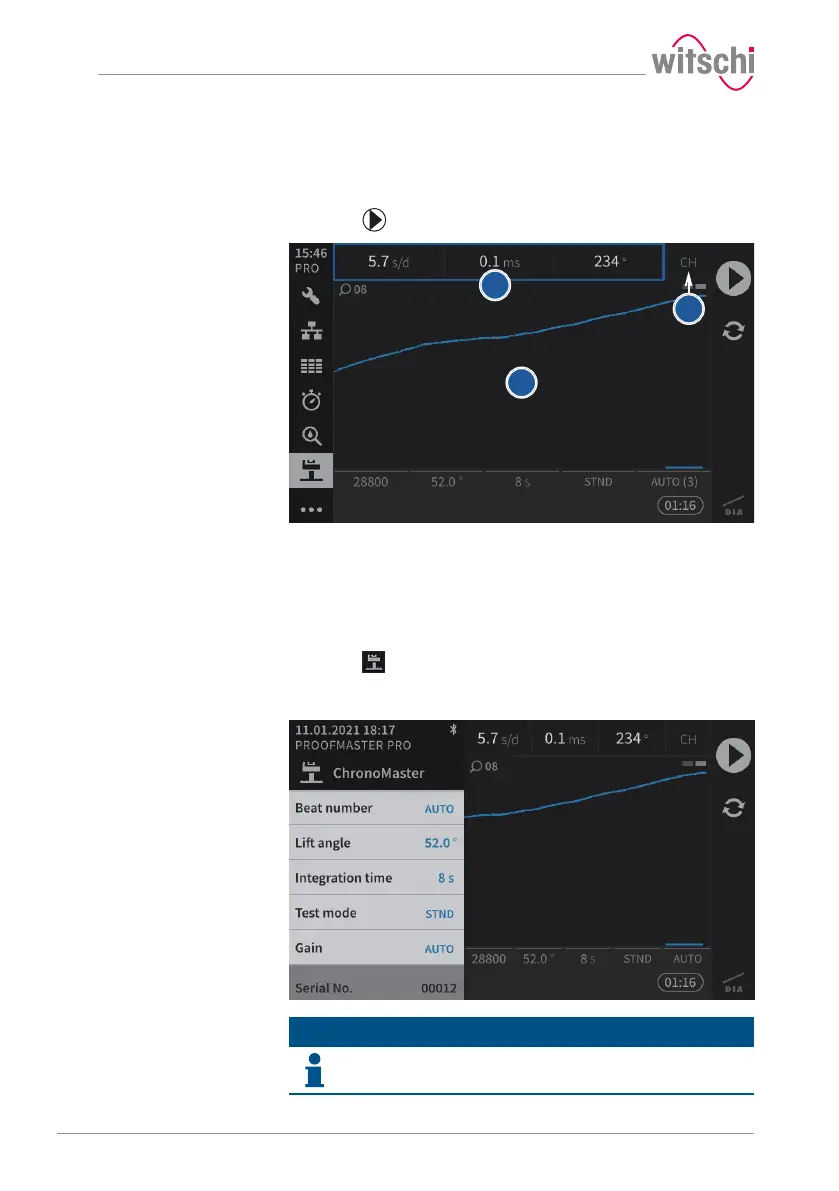
1 Display of the current measurement data
2 Measuring position of the calibre
3 Graphic display of the diagram
5.6.3 Configuring the measurement
a) Press (at the bottom left of the screen) to display the
ChronoMaster menu.
ð The screen for configuring the measurement appears.
Info
The serial number of the ChronoMaster is displayed at the
bottom of the menu.



 To Next Page