Maintenance
72 / 112 28.03.2022
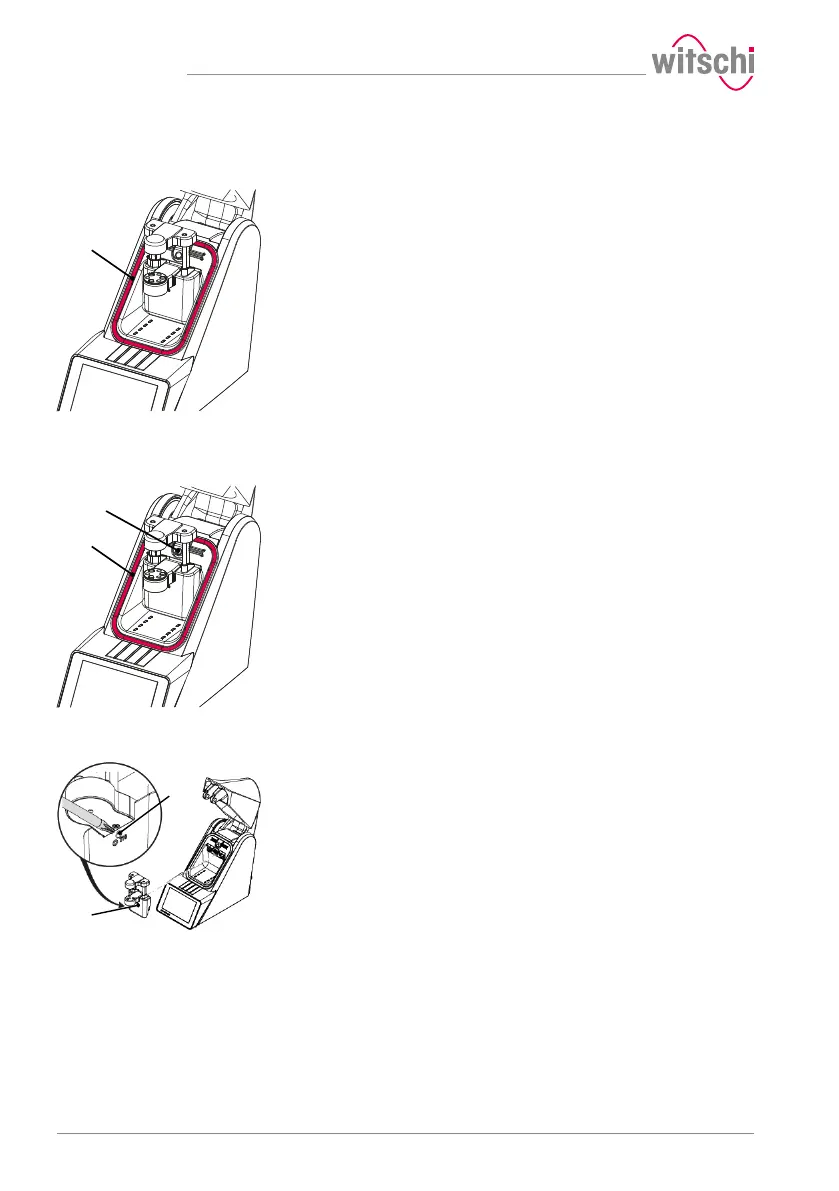
6.3 Cleaning the seal (O ring)
ü The ProofMaster is switched off and the bell cover is open.
a) Clean the seal 1 with a microfibre cloth.
6.4 Replacing the seal (O ring)
ü The ProofMaster is switched off and the bell cover is open.
a) Lift the seal 2 with the push button 1 and remove by hand.
b) Remove dust particles and other deposits from the seal groove 2.
c) Insert a new seal 2.
6.5 Replacing the deformation sensor
ü The ProofMaster is switched off and the bell cover is open.
a) Unscrew screw 1 with a T10 Torx screwdriver.
b) Remove the deformation sensor 2.
c) Hook in the new deformation sensor 2.
d) Tighten screw 1.



 To Next Page