Use
28.03.2022 39 / 112
ð The bell cover opens.
ð The screen returns to the display that was active before switching
to standby.
5.2.3 Switching off the device
Tip
If the device is not used for a short period of time, enable
standby mode.
See Enabling screen saver or standby [}Page38].
a) If necessary, remove the watch from the test chamber.
b) Switch off the compressor as specified in the manufacturer's
documentation.
c) Enable the mode, see Enabling screen saver or standby
[}Page38].
ð The bell cover closes and is locked.
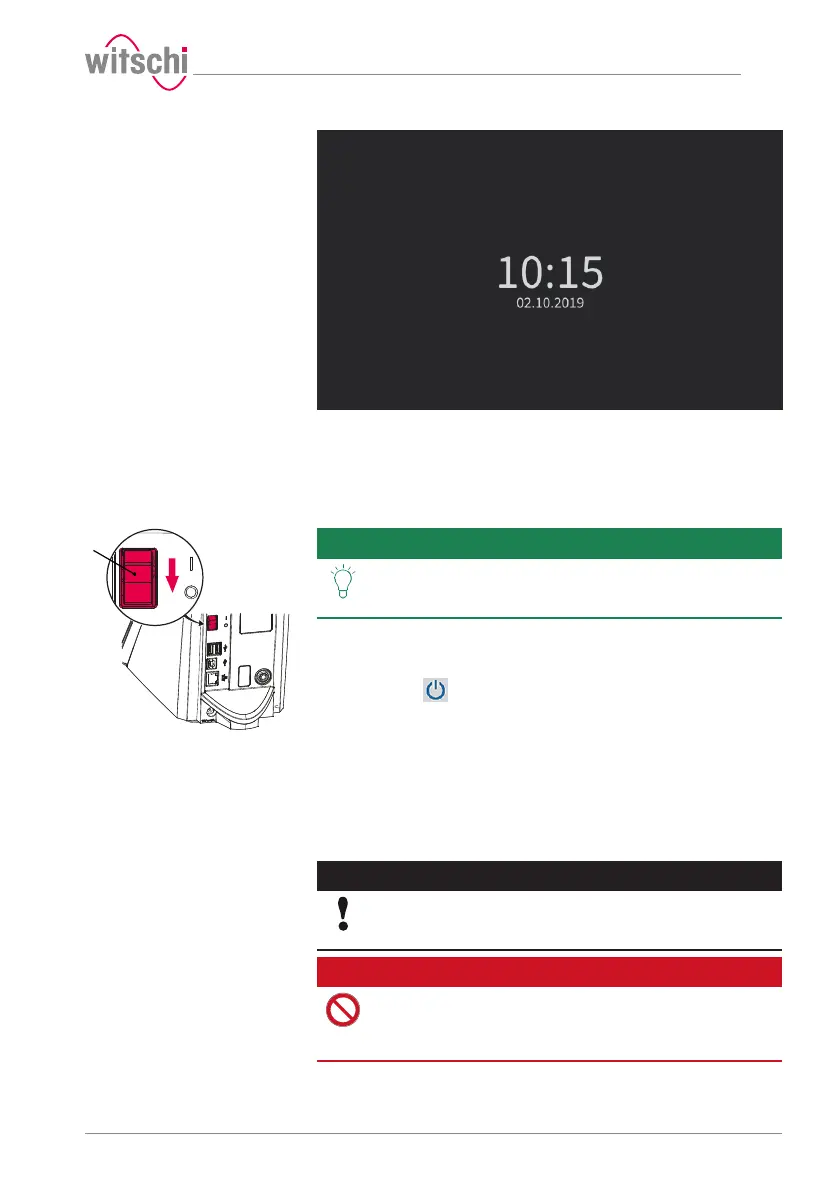
d) Switch off the ProofMaster by pressing the switch 1 in the
direction of the arrow.
e) Cover the ProofMaster with the corresponding dust cover.
5.2.4 Determining test pressure values
Improper test pressure
value settings
Caution - material
Risk of damaging the watch due to improper test pressure
value settings!
Observe the following list of prohibitions and obligations.
Prohibition
Do not subject jewellery watches or thin watches to a
pressure below -0.3bar!
If jewellery watches or thin watches are subjected to an excessively
strong vacuum, the base or glass of the watch may burst.



 To Next Page