Settings
88 / 112 28.03.2022
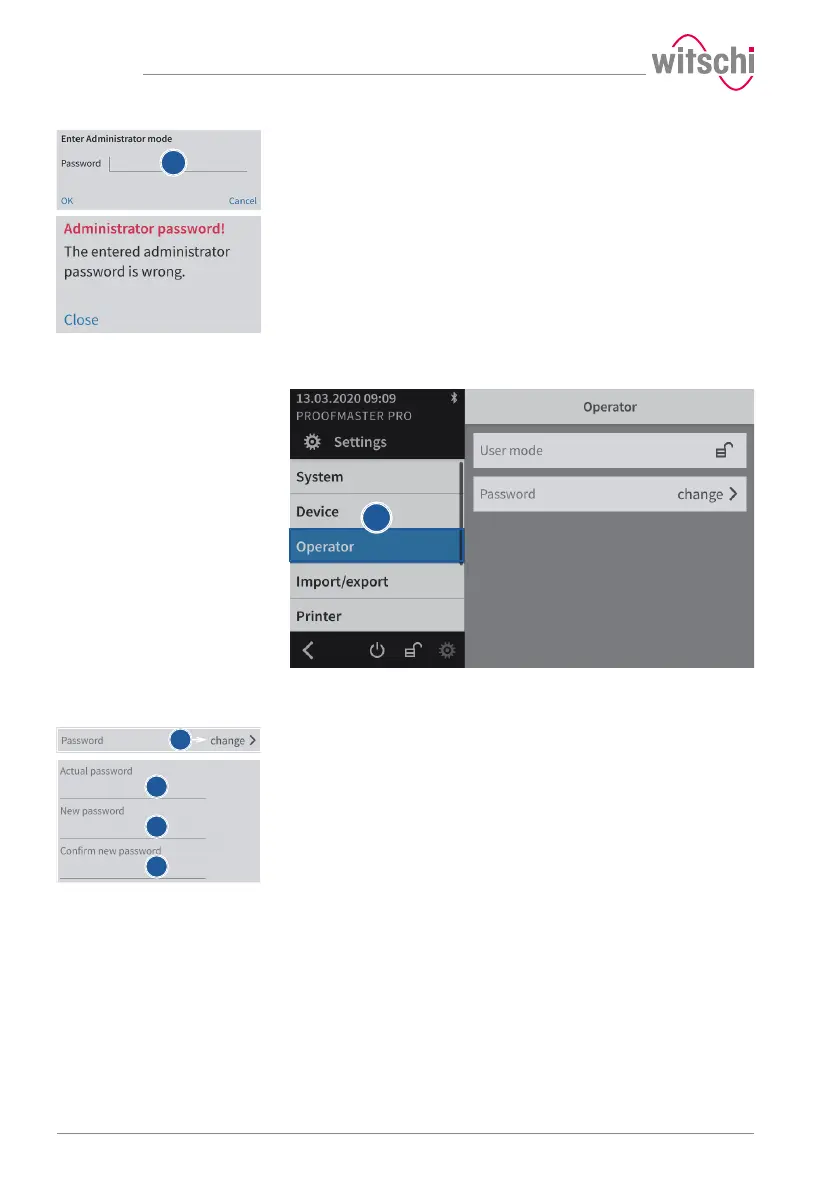
c) Enter the password.
ð The default password is witschi.
d) Press OK to confirm.
ð In the event of an error, an information window appears.
7.5.4 Changing the password
a) Select User from the list.
ð User is highlighted in blue and the right window displays the
user options.
b) Open the window for changing the password by pressing Change.
c) Enter the current password.
ð The default password is witschi.
d) Enter the new password.
e) Confirm the new password.
f) Press OK to confirm.



 To Next Page