Maintenance
28.03.2022 73 / 112
6.6 Software updates
With the further development of the ProofMaster, the software may
also be improved under certain circumstances. In certain cases, Witschi
Electronic AG may offer a new version of the software to be installed.
Info
Information on how to download the updates can be found
on our website at www.witschi.com.
When you register your ProofMaster on our website, we will personally
notify you of important updates.
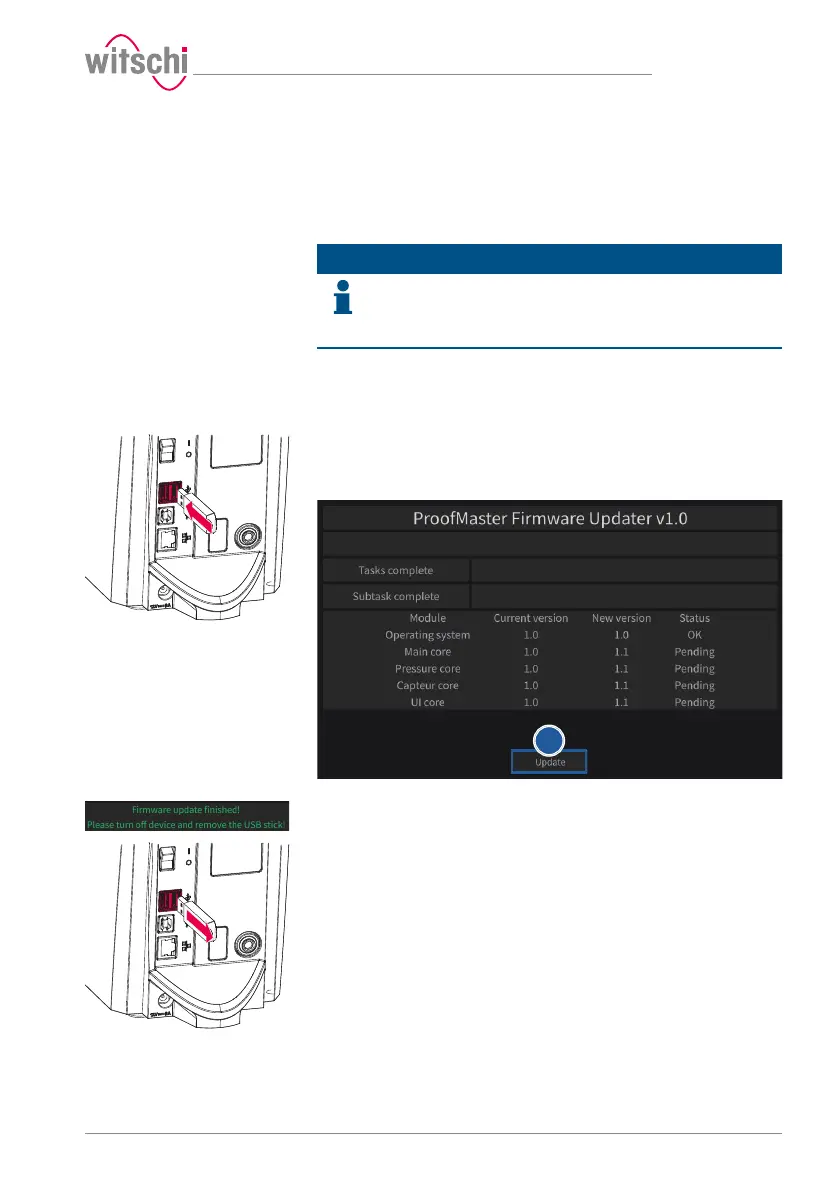
The software for the ProofMaster can be installed as follows:
ü The ProofMaster is switched off.
a) If necessary, unzip the update files for ProofMaster.
b) Save the unzipped files on a USB stick.
c) Insert the USB stick with the update files for the ProofMaster.
d) Switch on the ProofMaster.
ð See Switching on the Proofmaster [}Page37].
e) Press Update.
f) Wait until the screen with the following messages appears.
g) Switch off the ProofMaster.
h) Remove the USB stick.
ð The ProofMaster update has been installed successfully.



 To Next Page