Settings
28.03.2022 91 / 112
7.6.2 Importing/exporting programs (ProofMaster PRO)
Info
This function is available in the ProofMaster PRO software
version.
The ProofMaster allows the import and export of programs within the
network or using a USB stick.
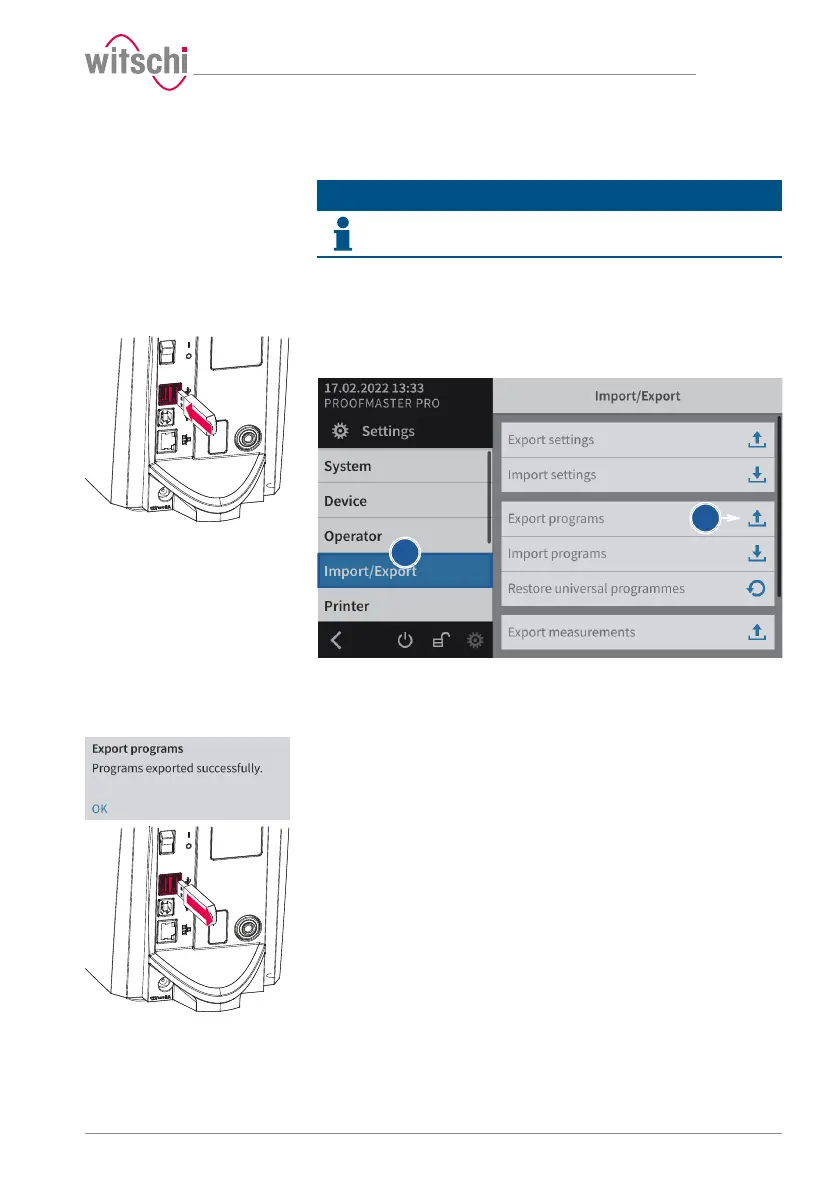
Export with USB stick
a) Insert the USB stick on which the programs are to be stored in the
ProofMaster.
b) Select Import/export from the list.
ð Import/export is highlighted in blue and the right window
displays the import/export options.
c) Press Export programs.
ð A window appears confirming the successful completion of
the programs export.
ð The programs of the ProofMaster were exported to the USB
stick in the programs.json file.
d) Remove the USB stick from the ProofMaster.



 To Next Page