Settings
90 / 112 28.03.2022
Importing
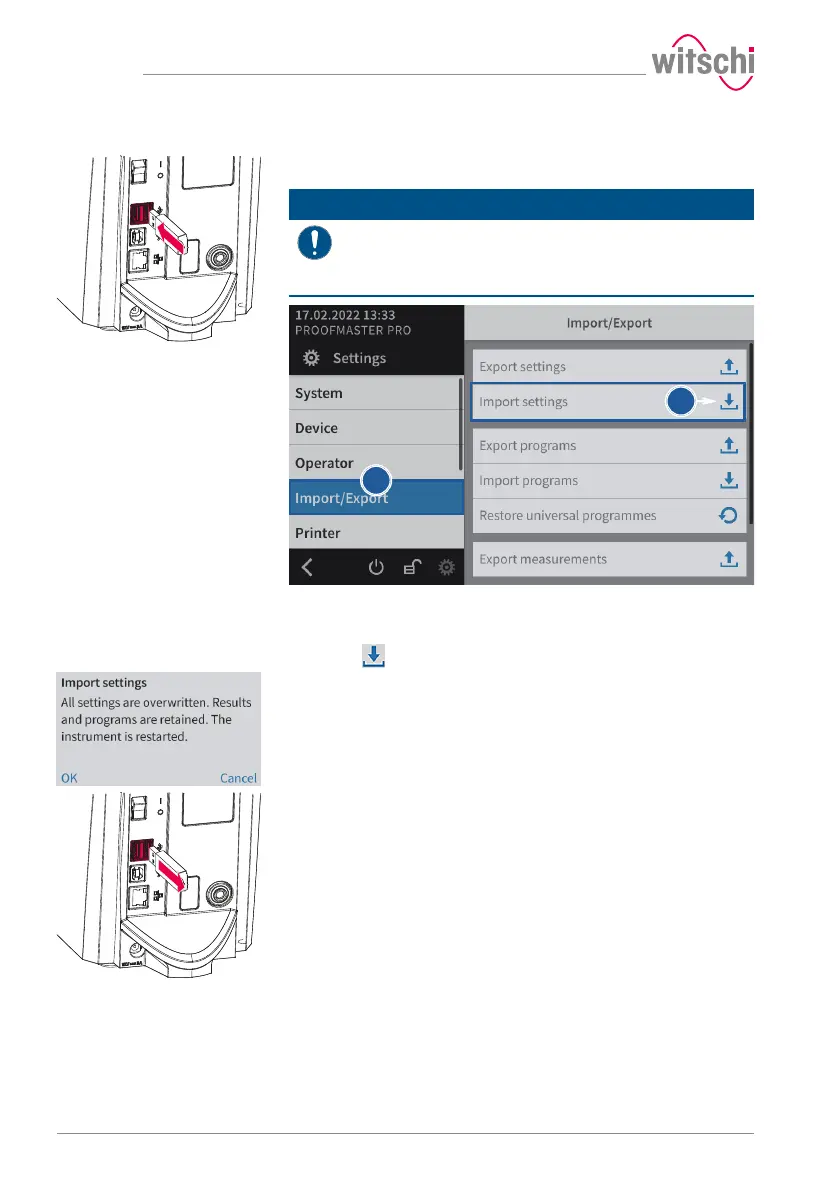
a) Insert a USB stick with the settings into the ProofMaster.
Mandatory
The settings to be imported must be combined in a file
with the file name config.json. The file is created by
carrying out an export.
Otherwise the ProofMaster will not find the settings to import.
b) Select Import/export from the list.
ð Import/export is highlighted in blue and the right window
displays the import/export options.
c) Press Import settings.
ð An information and confirmation window appears.
d) Press OK to confirm.
ð The settings of the ProofMaster have been replaced by the
settings imported from the USB stick.
ð The ProofMaster restarts.
e) Remove the USB stick.



 To Next Page