Settings
82 / 112 28.03.2022
ü Using an Ethernet cable, connect the ProofMaster to a network
that has access to the Internet.
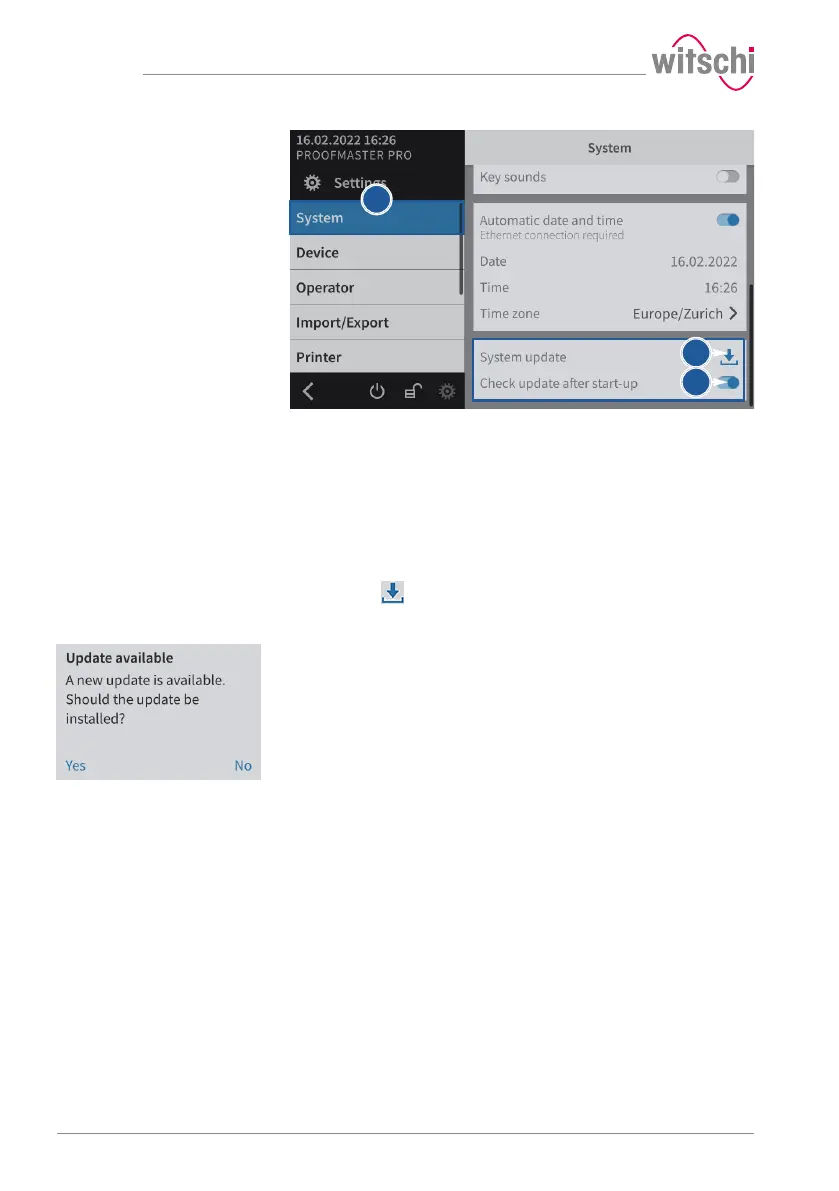
a) Select System from the list.
ð System is highlighted in blue and the right window displays
the system options.
b) The user can configure the system so that it checks whether there
is an update available when it is switched on.
ð The button is blue when the function is enabled and grey
when it is not.
c) Or press to look for an update.
After start-up or a search
When the update is accepted, the device will automatically install the
new software. The ProofMaster must not be switched off during the
update.



 To Next Page