11 WMF Service Program – Source of Supply, Installation and Troubleshooting 73
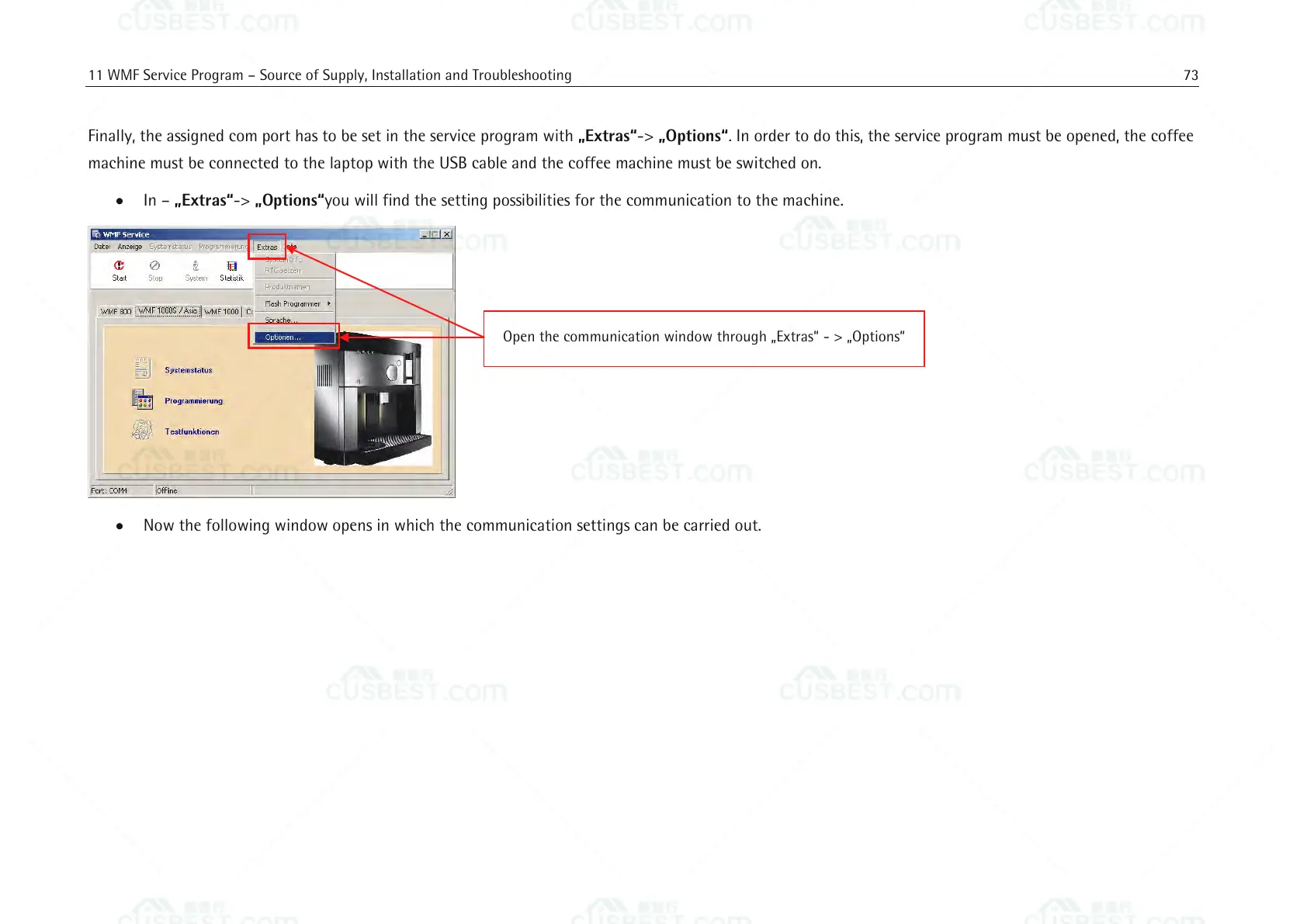
Finally, the assigned com port has to be set in the service program with „Extras“-> „Options“. In order to do this, the service program must be opened, the coffee
machine must be connected to the laptop with the USB cable and the coffee machine must be switched on.
In – „Extras“-> „Options“you will find the setting possibilities for the communication to the machine.
Now the following window opens in which the communication settings can be carried out.
Open the communication window through „Extras“ - > „Options“















 To Next Page