11 WMF Service Program – Source of Supply, Installation and Troubleshooting 74
Now all installations, assignments and settings have been carried out and the connection between coffee machine and laptop is possible. Should there be any
problems with the connection, please take a look at chapter 11 in which the troubleshooting is described.
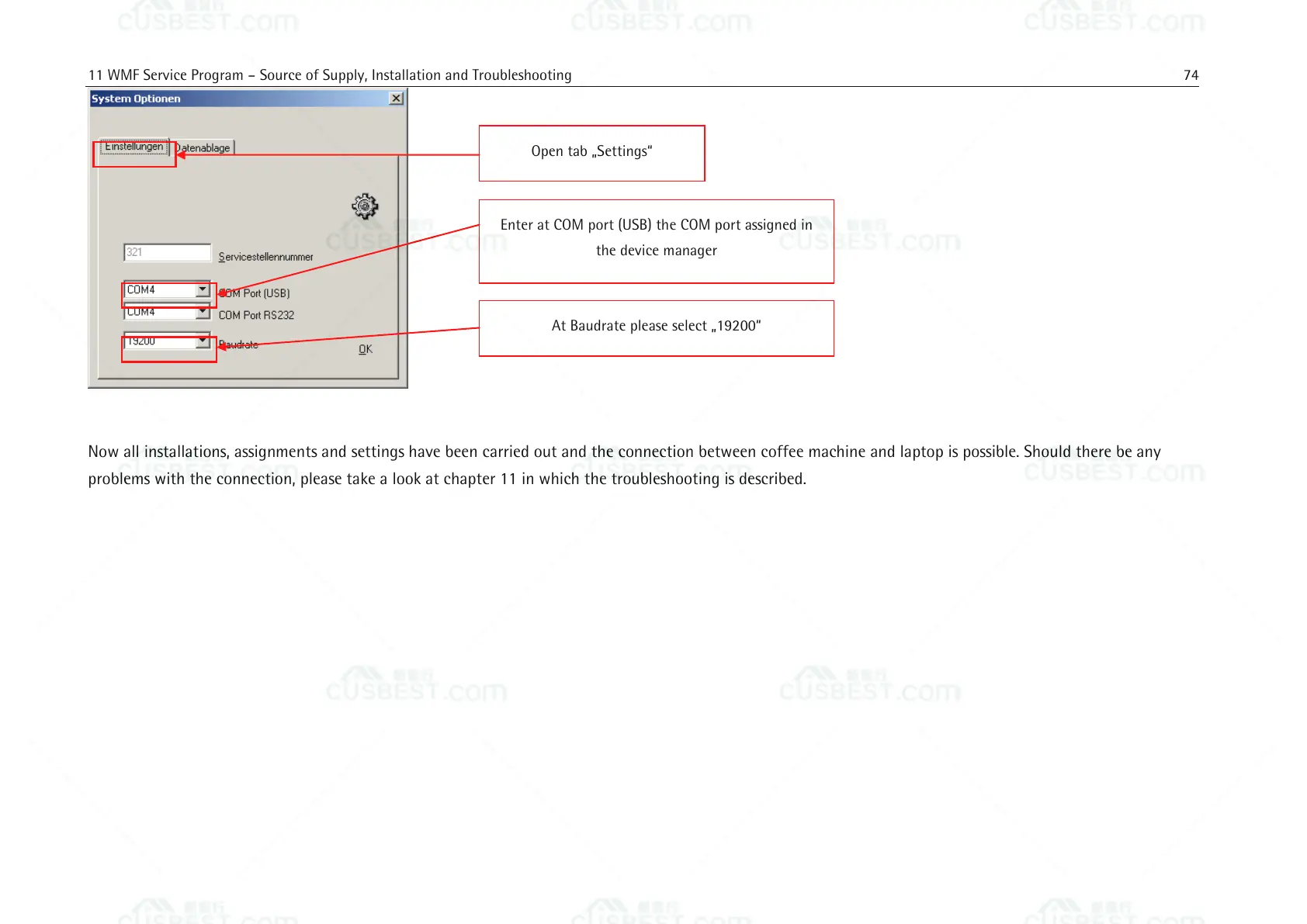
Enter at COM port (USB) the COM port assigned in
the device manager
At Baudrate please select „19200“















 To Next Page