$GMXVWPHQWYLD&,'
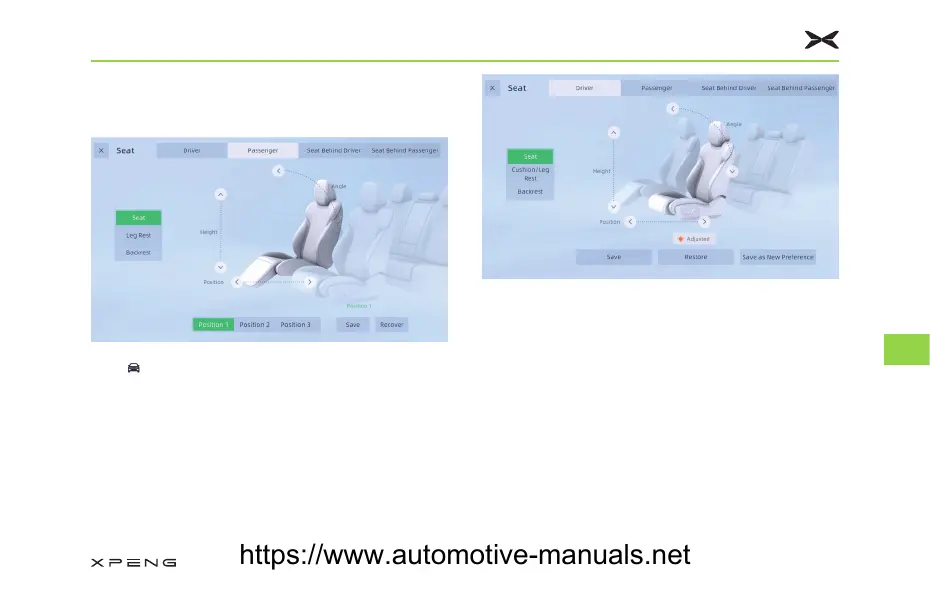
6HDW$GMXVWPHQW
Tap “ →&RQWUROV→6HDW” in turn on CID to enter
the adjustment interface.
After determining which seat and parts to adjust,
you can adjust “6HDW+HLJKW6HDW3RVLWLRQ” etc.
6HDW0HPRU\
Tap “6DYH” to save the current seat information
and the exterior rearview mirror position
information to the current vehicle use habits.
• You can switch the vehicle use habits in the
User Center interface.
Tap “5HVWRUH” to load the seat position info and
the exterior rearview mirror position info from the
current vehicle use habits.
• Premise of the seat position loading: detecting
the driver is in the seat and the vehicle is
stationary.
Getting in Vehicle
192
8
https://www.automotive-manuals.net



 To Next Page