Say “+HOOR;LDR3DGMXVWWKHVWHHULQJZKHHO” or
tap “ →&RQWUROV→6WHHULQJ:KHHORegulation”
in turn on CID, after enabling the steering
wheel adjustment function, you can move the
steering wheel forward and backward and up
and down to the appropriate position via the
left and right scroll wheels on the steering
wheel.
7LSV
Scroll down from the top of CID to open
the steering wheel adjustment function on the
shortcut menu.
FDXWLRQ
• If you roll the left and right scroll wheels
simultaneously, the system will prioritize the
side which issues the fastest command, and
then execute the adjustment issued by the
other side.
• It is prohibited to use the scroll wheels
continuously for a long time to adjust
the steering wheel position. Prolonged
continuous operation will cause the electric
adjustment device to enter the overheat
protection state, and you will need to wait
for some time before using it again.
• The sound made during the adjustment is
normal. If any abnormality is founded, please
contact the XPENG Service Center.
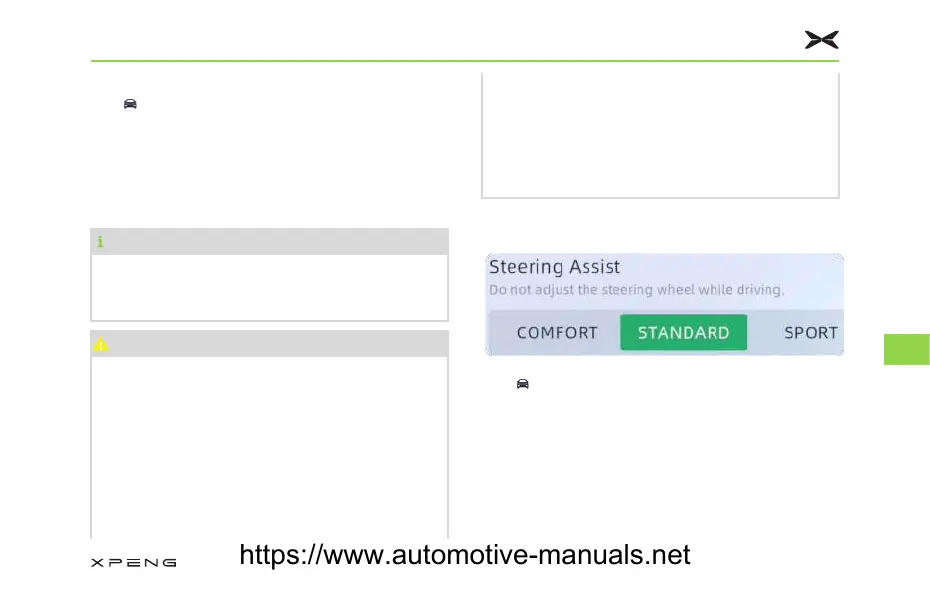
6HWWLQJWKH6WHHULQJ:KHHO6HQVLWLYLW\
Tap “→9HKLFOH6HWWLQJV” on CID, in the
“'ULYLQJ” interface, you can set the steering
wheel sensitivity mode:
• Comfort: smallest steering effort,
recommended in comfortable driving.
• Standard: moderate steering effort,
recommended in general driving.
Getting in Vehicle
204
8
https://www.automotive-manuals.net



 To Next Page