2SHUDWLRQRI)XQFWLRQV
(QDEOHRUGLVDEOHWKH6XSHU,QWHOOLJHQW3DUNLQJ
$VVLVW
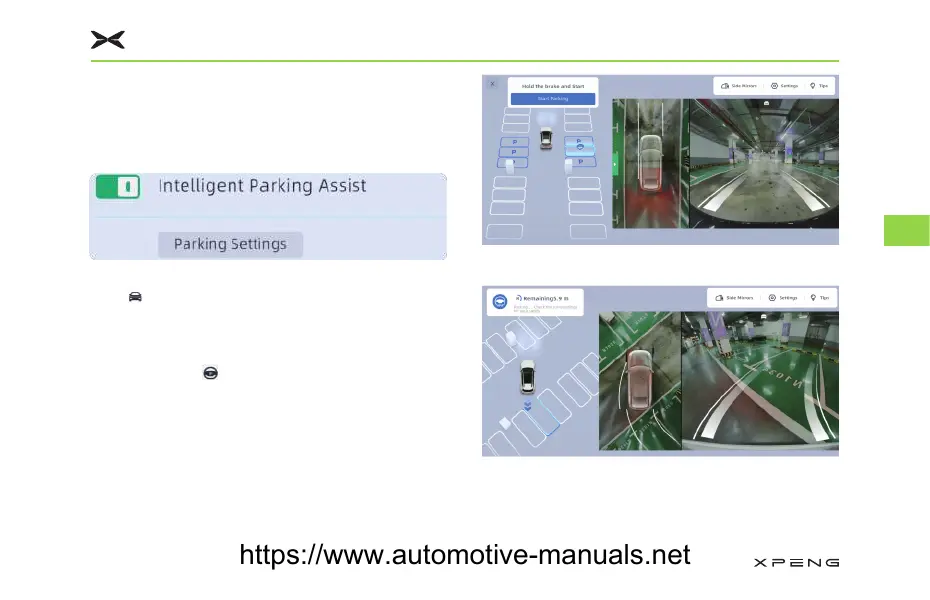
Tap “ →;3,/27” on CID to enable or disable
the super intelligent parking assist.
3DUN,Q
1. Tap on CID “ ” or say “+L;LDR3,ZDQWWR
SDUNWKHFDU” to enable the parking function.
2. Drive the vehicle slowly, observe CID until the
target parking space is displayed in blue, then
press the brake pedal.
3. Tap “7DUJHW3DUNLQJ6SDFH→6WDUW3DUNLQJ”.
4. Release the brake pedal to start parking.
3DUNLQJ$VVLVWDQFH
95
5
https://www.automotive-manuals.net



 To Next Page