£CA
115et
NOTICE
~~~~~~~~~~~~~
If
the
display
Indicates
an
error
code
,
the
ve-
hicle
sho
uld
be
checked
as
soon
as
possible
in
order
to
avoid
engine
damage
.
Brightn
ess
control
mode
1
,
......
··············~
: .
.;?
.
!?.B
...........
1
~
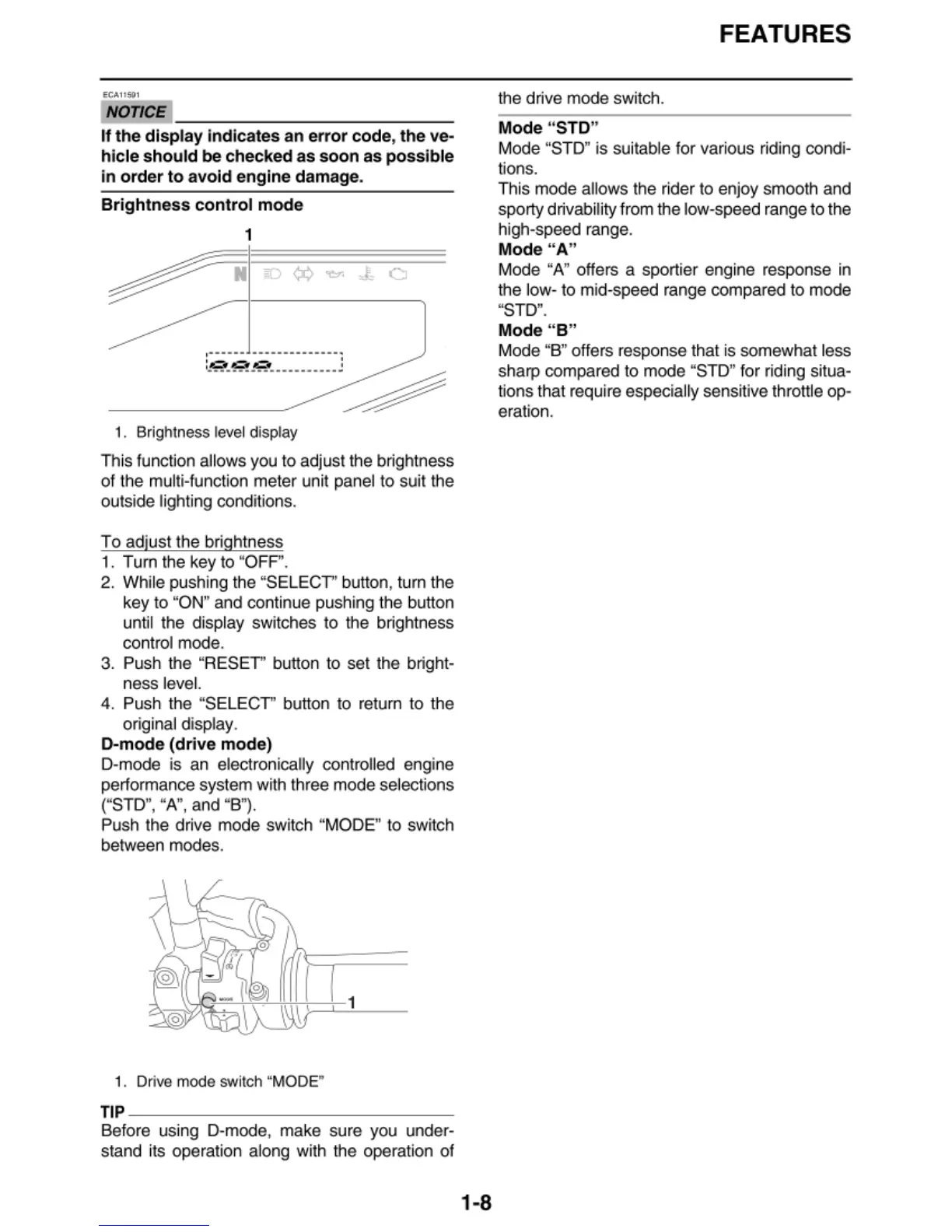
1. Brightness level display
This function allows you to adjust the
br
ig
htness
of
the multi-function meter
un
it panel
to
suit the
outside lighting conditions.
To
adjust the brightness
1. Turn the key to "OFF".
2. While pushing the "SELECT" button, tu
rn
t
he
key
to
"ON" and continue pushing t
he
butt
on
until the di
sp
l
ay
switches to the
br
ightness
control mode.
3. Push t
he
"RESET" button to set the bright·
n
essleve
l.
4.
Push the "SELECT" bu
tt
on to retu
rn
to the
or
iginal display.
D-mode
(drive
mode)
D·mode is an elec
tr
onically controlled engine
performance system with three mode selections
(''STD",
''
A",
and
"
B").
Push the drive mode switch "MODE" to switch
between modes.
1
1. Drive mode switch "MODE"
T
IP
~~~~~~~~~~~~~~~
Before using D-mode, make sure you under·
stand its operation along with the operation
of
1-8
FEATURES
the drive mode
sw
itch.
Mode
"
STD
"
Mode "STD" is suitable for various riding condi-
tions.
This mode allows the ri
der
to enjoy smooth and
sporty drivability
fr
om
the low-speed range to the
high-speed range.
Mode
"A"
Mode "A" offers a sporti
er
engine response in
the low· to mid-speed range compared to mode
"STD".
Mode
" B"
Mode "B" offers response that is somewhat less
sharp compared to mode "STD" for riding situa-
tio
ns
that req
uir
e especia
ll
y sensitive throttle op·
eration.


 To Next Page