SEQTRAK User Guide
m [OCTAVE] button
Used to change the pitch of the currently selected Synth key by one octave.
n [SCALE] button
Used to change the scale that is used when the Synth keys are pressed.
o [KEY] button
Used to change the key that is used when the Synth keys are pressed, in half steps.
p [REC SAMPLE] button
Used for sampling on the SAMPLER track.
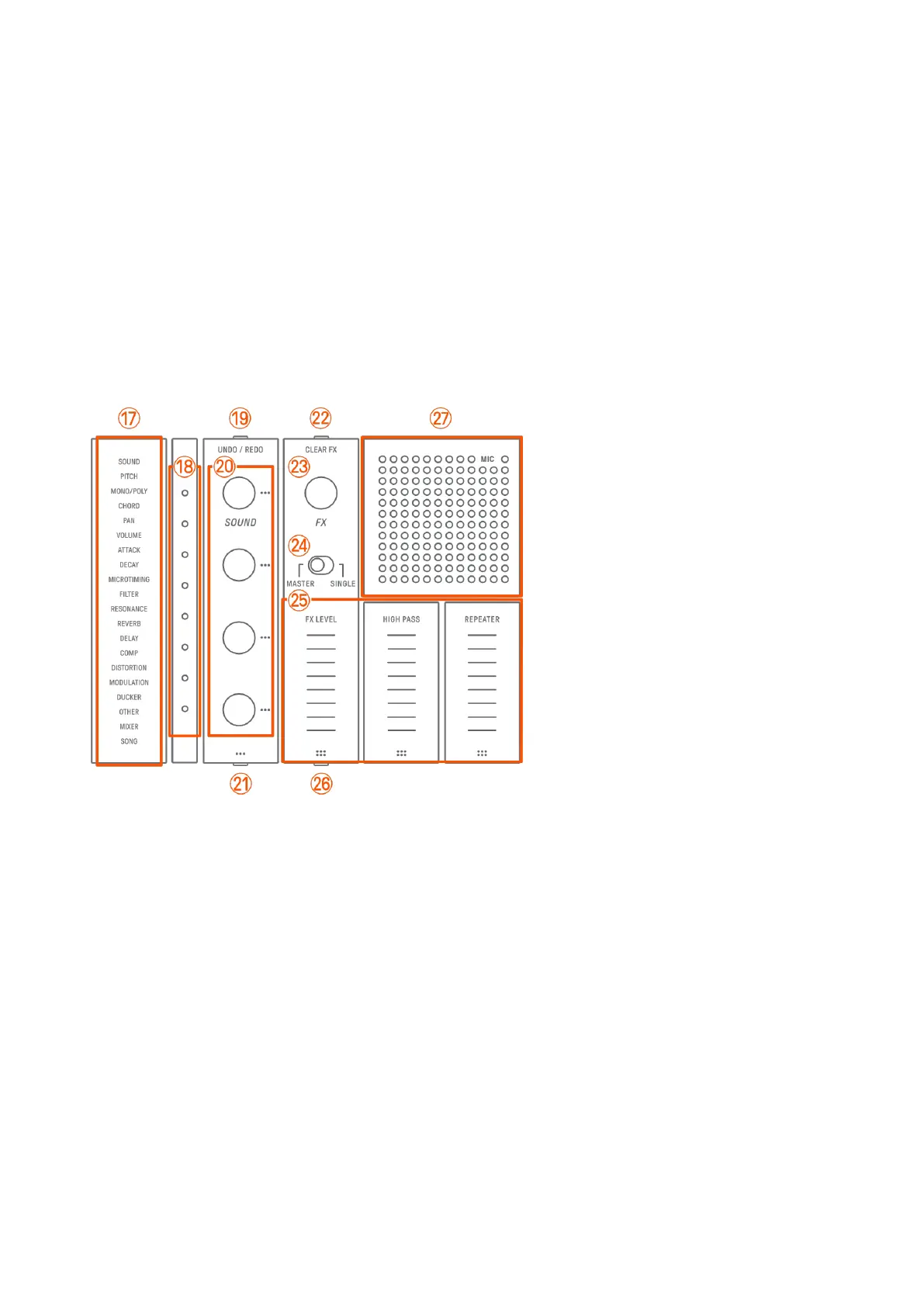
q–A Top Right (Sound Design & FX section)
q Index
Displays the selected parameter or mode.
r Global Meter
Displays the value of the parameter being operated or the operating status while
saving/loading data.
s [UNDO/REDO] button
Used to UNDO/REDO sound and effect parameter changes.
t Sound Design knobs 1–4
Turn these knobs to change the sound of a track or adjust parameters.
u Sound Design Page button
Press to switch between the sound parameters controlled by the Sound Design knobs.



 To Next Page