SEQTRAK User Guide
5.9 Copying and Pasting Track Steps [Ver. 1.1]
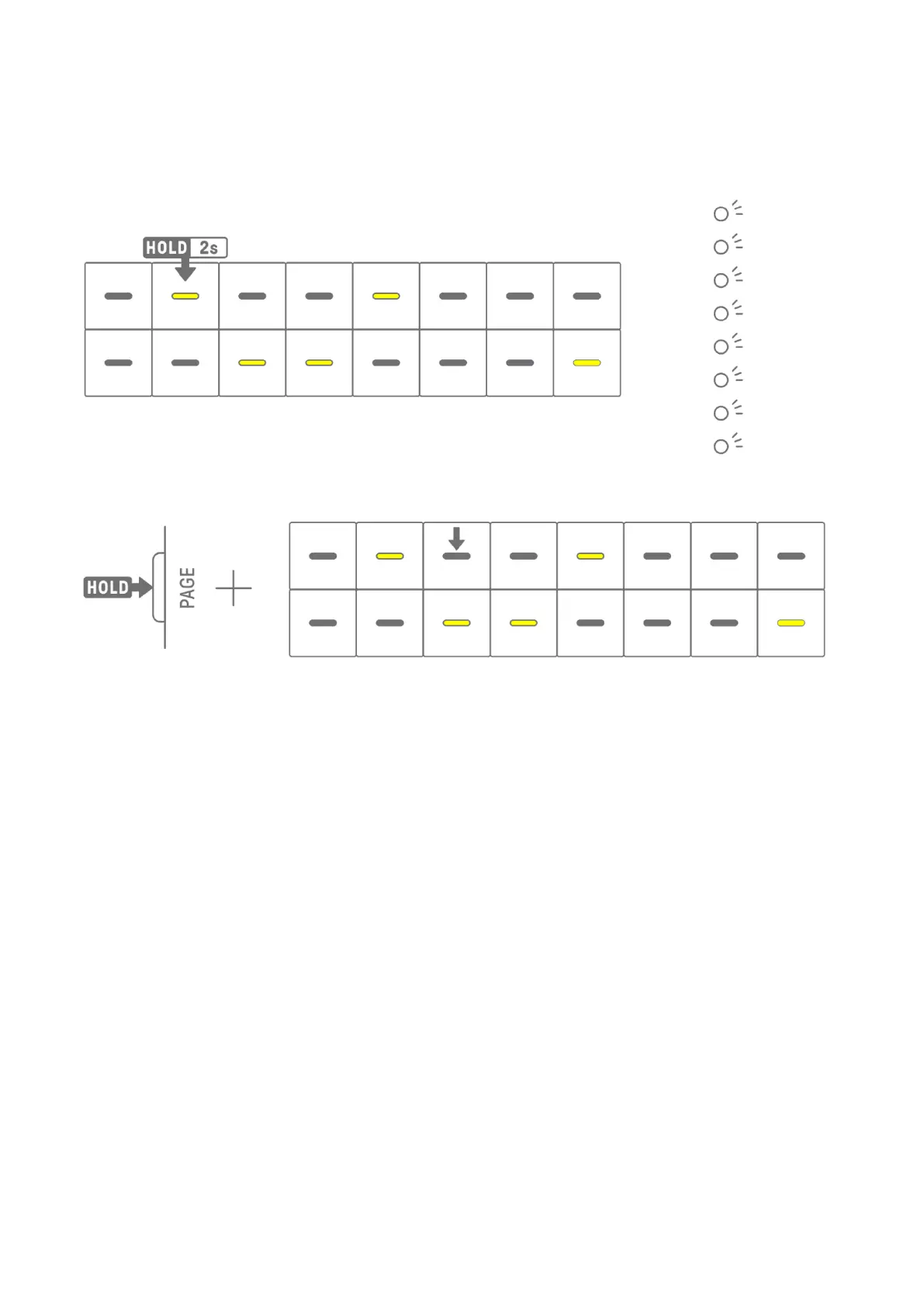
To copy the steps of the currently selected track, press and hold a Drum key for at least 2
seconds. If copying is successful, the Global Meter flash in white.
To paste the copied steps, hold down the [Page] button and press a Drum key.
You can copy and paste to different tracks, as long as it is between Drum tracks or Synth
tracks (SYNTH1, SYNTH2, and DX).
NOTE
・ All parameters, including Parameter Locks and Motion Recording, can be copied and
pasted as is. However, if the effect type differs between tracks, the effect parameters will
not be pasted.



 To Next Page