SEQTRAK User Guide
3.2 Power Supply
3.2.1 Turning the power on/off
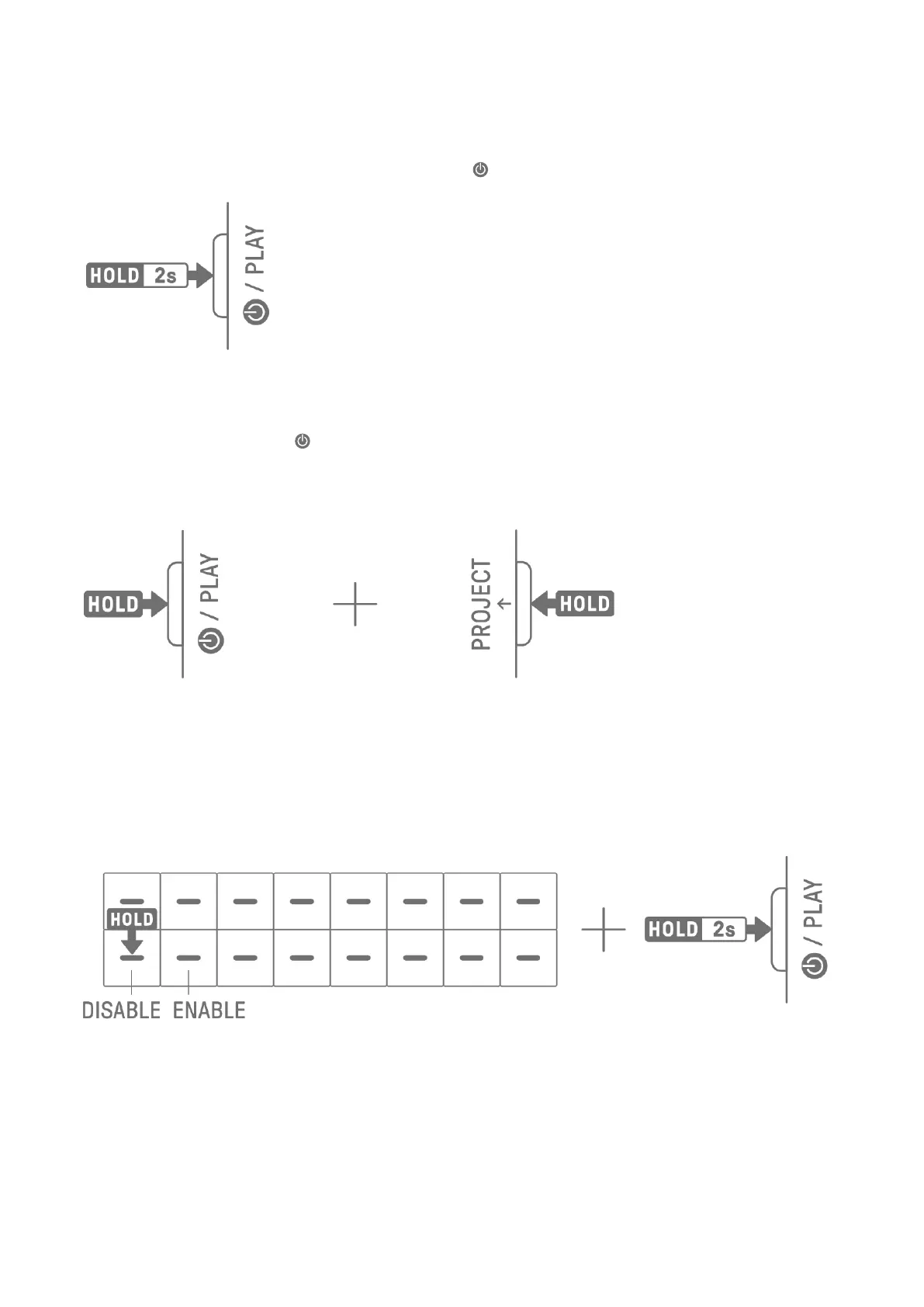
To turn the power on or off, press and hold the [ /PLAY] button for 2 seconds or longer.
3.2.2 Forced termination
If SEQTRAK behaves abnormally and cannot be operated, you can turn the power off by
pressing and holding the [ /PLAY] and [PROJECT↑] buttons.
However, any changes that were made after SEQTRAK was started and before forced
termination will not be saved.
3.2.3 Setting Auto Power Off
If SEQTRAK is not operated for 30 minutes (when not being charged), the power will be
turned off to save power. At this time, the current project will be saved automatically.
You can disable and enable (30 minutes) the Auto Power Off function by turning on
SEQTRAK while pressing the lower left Drum key.
NOTE
・ You can use the SEQTRAK app to change the time for the Auto Power Off function.



 To Next Page