SEQTRAK User Guide
8.9 Deleting Patterns for Each Sample [Ver. 1.1]
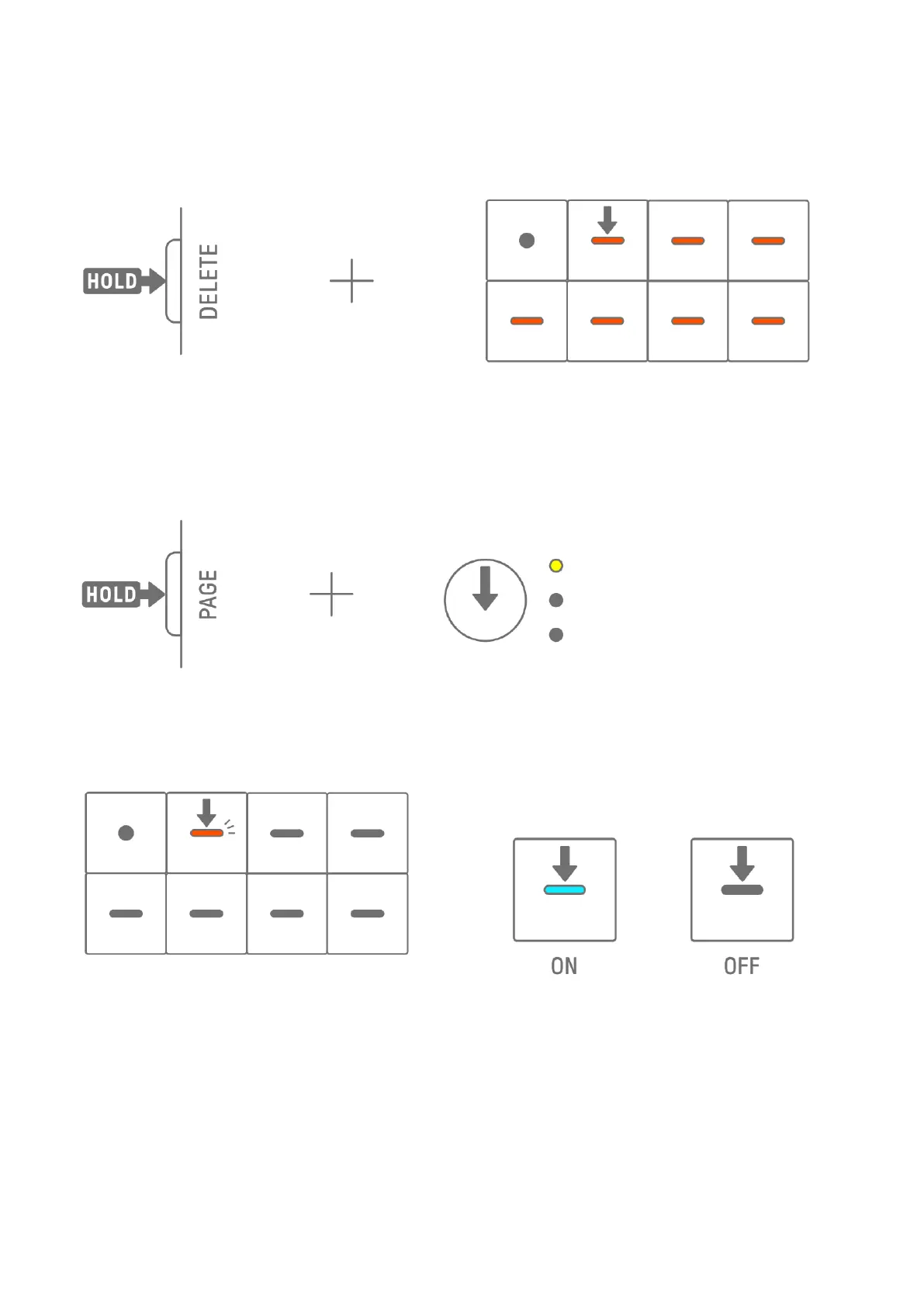
Press the [SAMPLER] knob to select the SAMPLER track. Hold down the [DELETE] button and
press a Synth key to delete the pattern for that sample.
8.10 Entering Steps [Ver. 1.1]
The SAMPLER track can be edited by entering steps.
Hold down the [PAGE] button and press the Synth Track knob or the [SAMPLER] knob to enter
Step Input mode. Use the same procedure to exit Step Input mode.
Press the [SAMPLER] knob to select the SAMPLER track. Press a Synth key to select the
sample to be edited. Press a Drum key to turn that step on/off. The Drum key displays only
the data for the selected sample.



 To Next Page