SEQTRAK User Guide
5.7.1 Selecting a sound category (category jump)
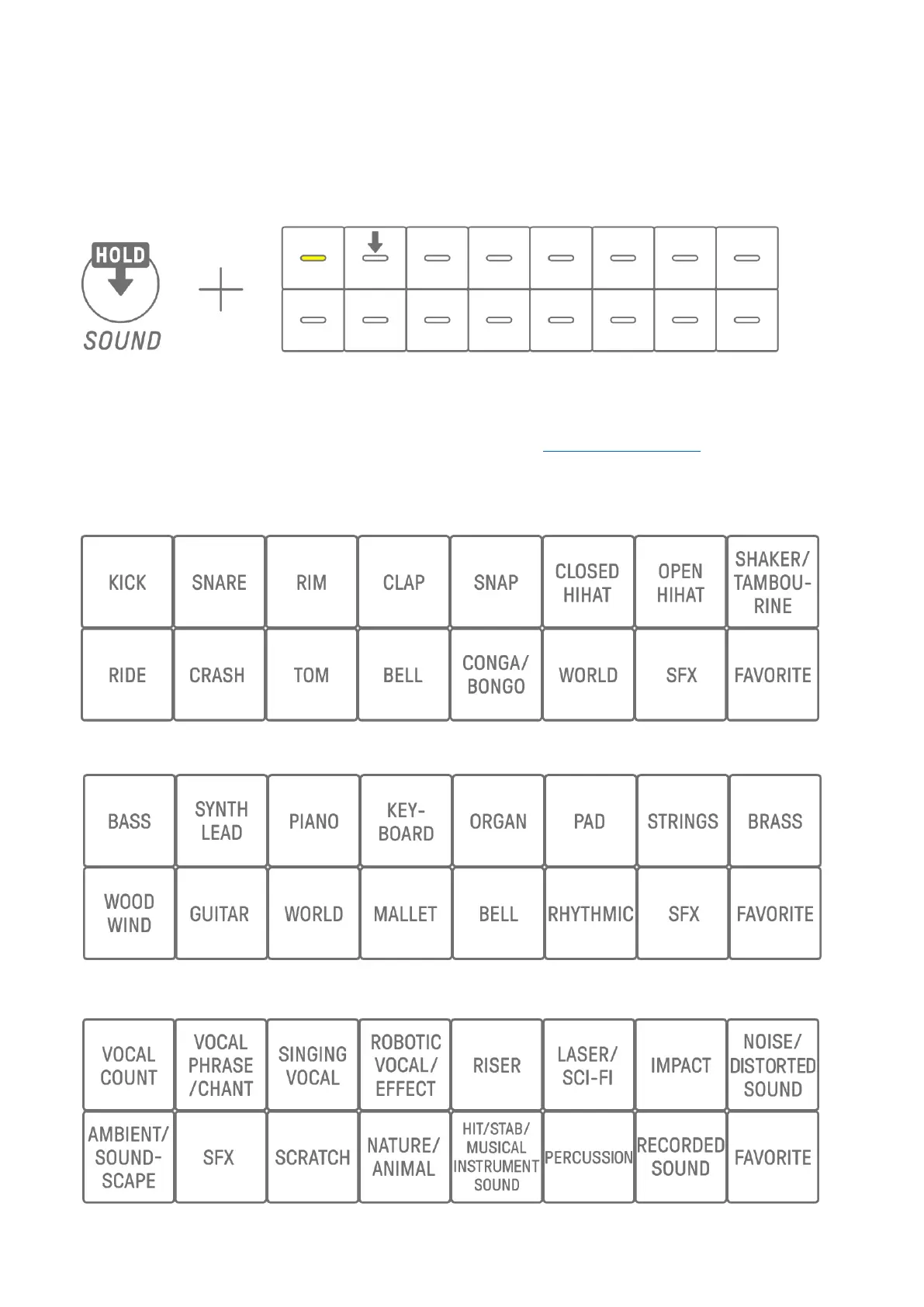
Hold down Sound Design knob 1 on Sound Design Page 1 and press a Drum key to go
directly to the first sound in the sound category set for that track. This is called a category
jump.
NOTE
・ A category jump to FAVORITE allows you to select the sounds you have registered as
your favorites. To register a sound as a favorite, see “9.5 Saving a Sound.”
・ If a sound registered as a favorite does not exist, FAVORITE will not light up.
5.7.2 Drum track sound categories
5.7.3 Synth track (SYNTH 1, SYNTH 2, and DX) sound categories
5.7.4 SAMPLER track sound categories



 To Next Page