SEQTRAK User Guide
7.7 Editing Chords
Use the following procedure to edit the chords.
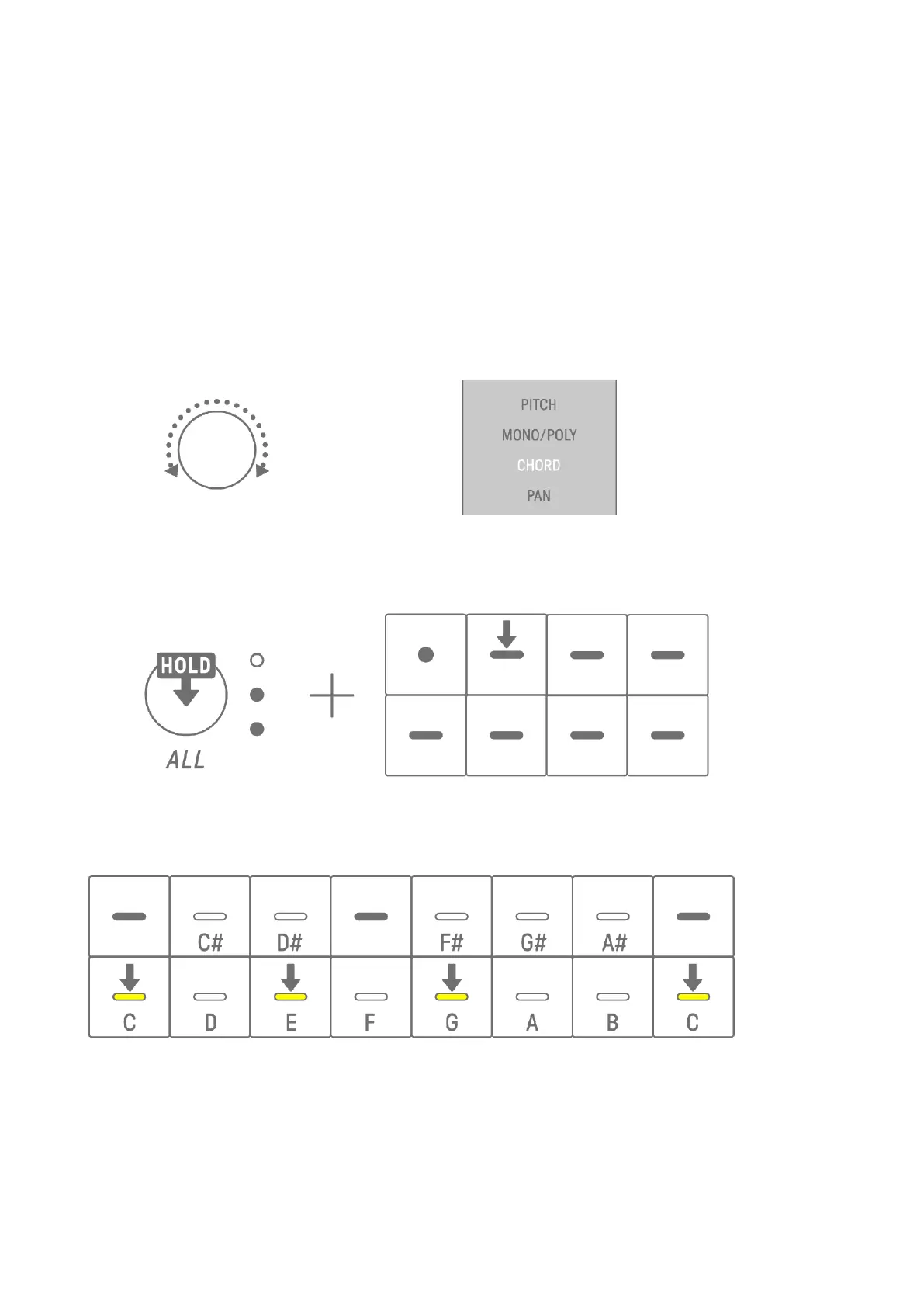
1. Turn Sound Design knob 2 on Sound Design Page 1 to select CHORD.
2. Hold down the [ALL] knob and press the Synth key of the chord you want to edit. The notes
that make up that chord will be displayed on the Drum keys. Press the [OCTAVE] button to
switch between the displayed range of notes.
3. Press the Drum keys to add or remove notes. You can select up to four notes. Press a
Synth key to audition the chord of the selected notes.
This operation does not affect previously recorded data.
NOTE
・ The notes that make up a chord can also be edited in the SEQTRAK app.
・ Chords can be set for each track, and they are linked to the scale for that project.
・ If a note in a key, scale, or chord is above G8, the note one octave lower is played (for
example, A7 for A8).



 To Next Page