SEQTRAK User Guide
7.4 Changing the Scale
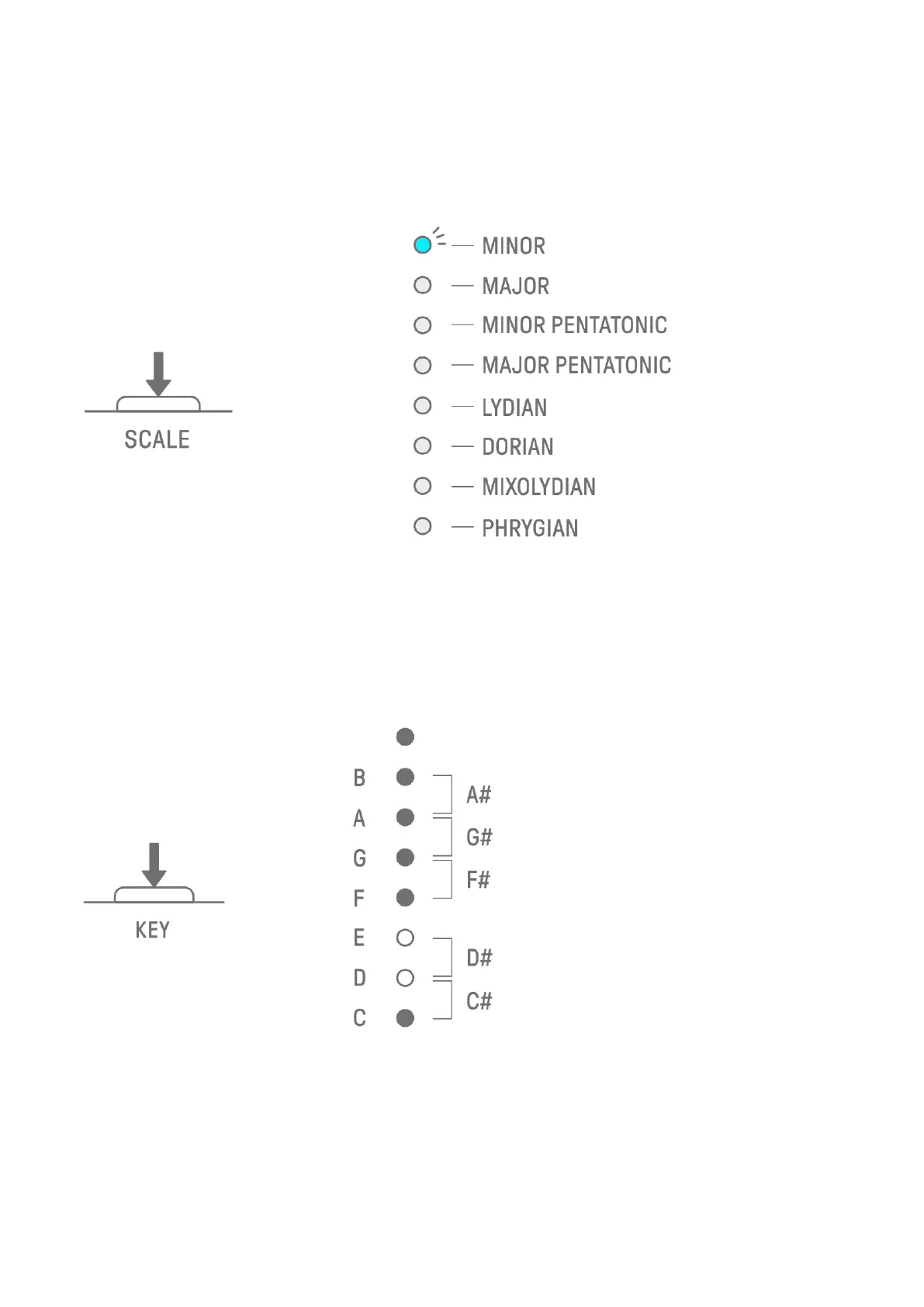
Press the [SCALE] button to change the scale that is used when the Synth keys are pressed.
Eight different scales are stored for each project. The default settings are shown in the figure
below. This operation does not affect previously recorded data.
NOTE
・ You can use the SEQTRAK app to edit the scale of the currently selected project.
7.5 Changing the Key
Press the [KEY] button to change in half steps the key that is used when the Synth keys are
pressed. This operation does not affect previously recorded data.



 To Next Page