SEQTRAK User Guide
10.1.2 Send effects
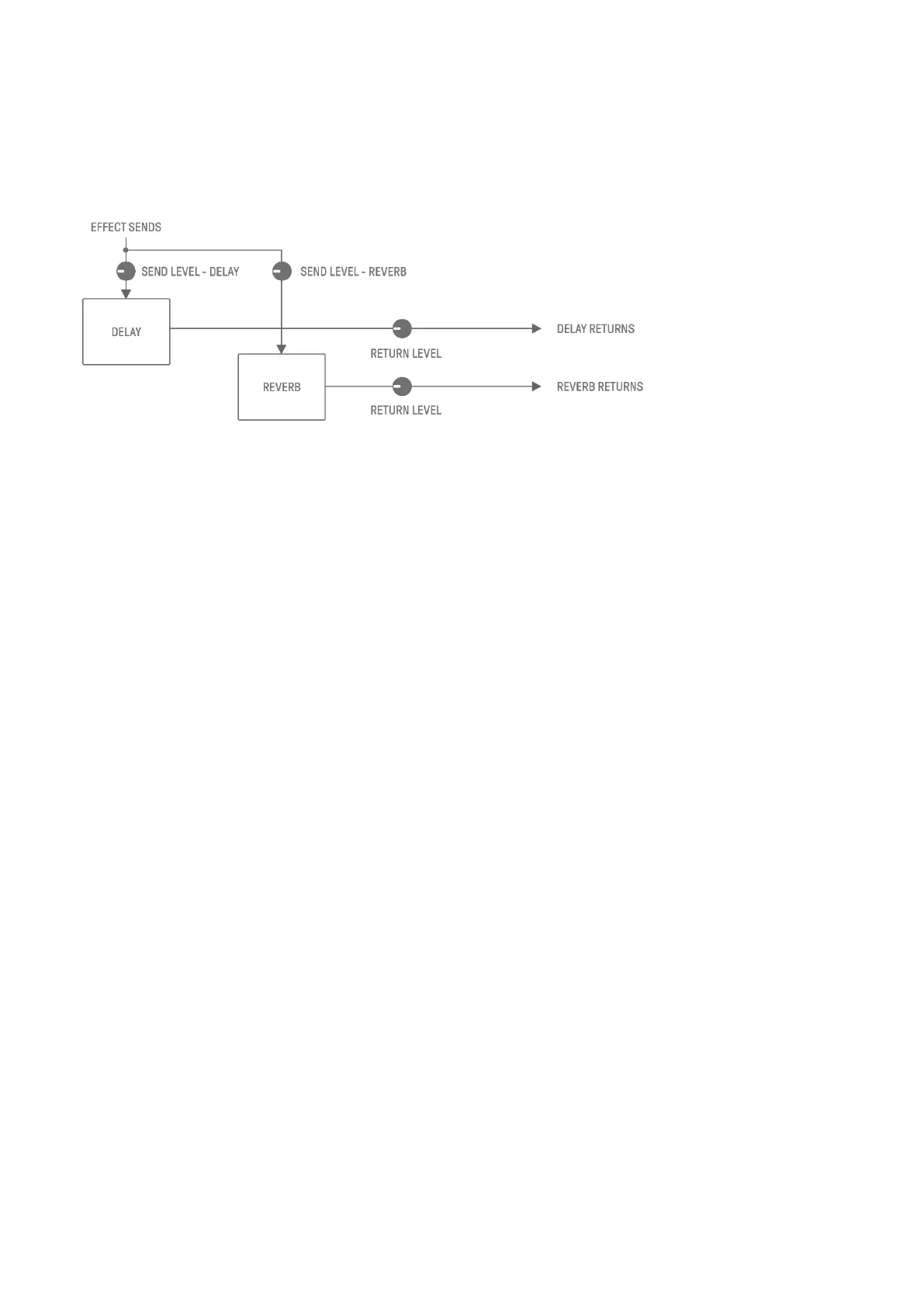
Send effects are shared by all tracks. You can set SEND LEVEL for each track, and RETURN
LEVEL for all tracks. Two send effects, DELAY and REVERB, are connected in parallel after
the track effects.
1. DELAY
An effect (or device) that delays an audio signal for ambient or rhythmic effects.
In Mixer mode, you can change the type of delay and adjust the parameters.
SEND LEVEL can be adjusted by turning Sound Design knob 2 on Sound Design Page 3, or
by pressing Sound Design knob 4 in Mixer mode and turning each Track knob.
2. REVERB
This effect artificially creates complex reverberations to reproduce the ambience of
various kinds of spaces in which the sound is being played. It can give natural ambience to
the sound and create space and depth.
In Mixer mode, you can change the type of delay and adjust the parameters.
SEND LEVEL can be adjusted by turning Sound Design knob 1 on Sound Design Page 3, or
by pressing Sound Design knob 3 in Mixer mode and turning each Track knob.



 To Next Page