SEQTRAK User Guide
11. Mixer Mode
In this mode, you can use the Track knobs and touch sliders to adjust the sound parameters
for all tracks. The sound parameters are indicated by the LED lamps on the Track knobs.
11.1 Switching to Mixer Mode
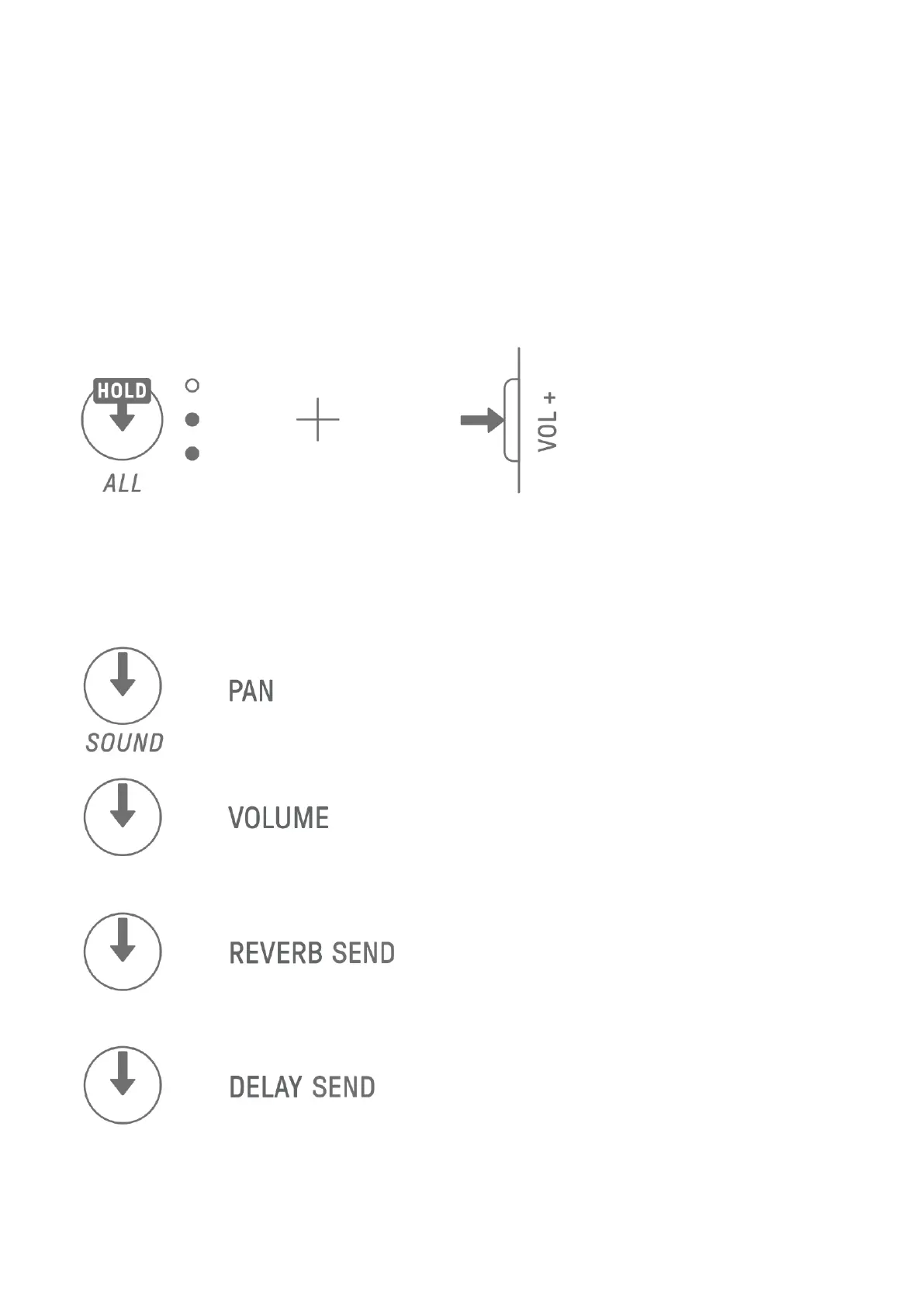
Hold down the [ALL] knob and press the [VOL+] button to switch to Mixer mode. Use the
same procedure to exit Mixer mode.
When you switch to Mixer mode, [MIXER] lights up on the index.
11.2 Adjusting Sound Parameters
Press Sound Design knobs 1–4 to select the sound parameters to be adjusted. The sound
parameters correspond to Sound Design knobs 1–4. From the top, they are set to PAN,
VOLUME, REVERB SEND, and DELAY SEND. The index of the selected parameter lights up.



 To Next Page