SEQTRAK User Guide
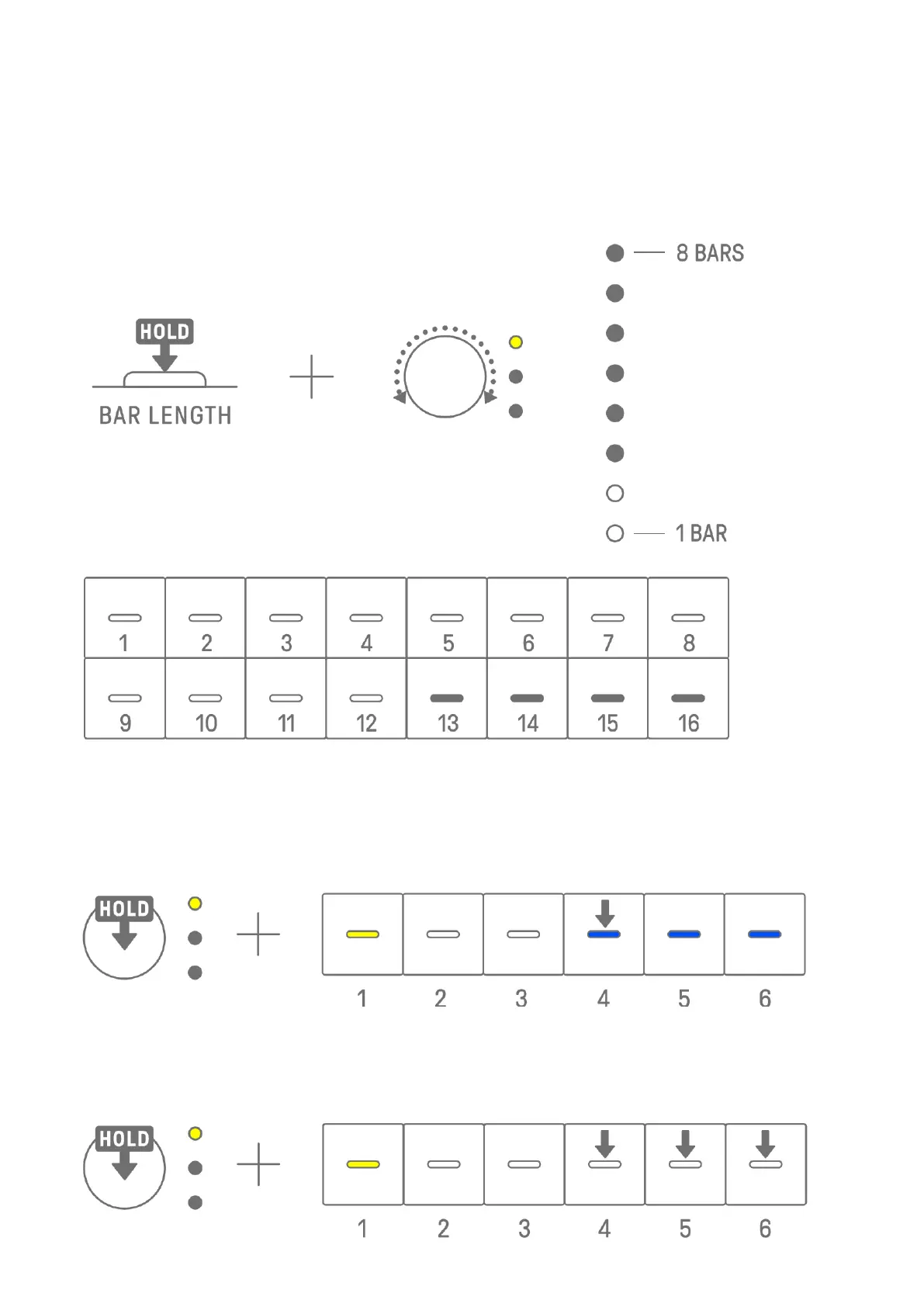
Hold down the [BAR LENGTH] button and turn a Synth Track knob or the [SAMPLER] knob to
set the length of the pattern in steps of 1–128. Press and turn a Synth Track knob or the
[SAMPLER] knob to change the value in increments of one measure (16 steps). The number
of measures is displayed on the Global Meter, and the number of steps is displayed on the
Drum keys.
5.3 Changing the Number of Patterns (3 Patterns ⇔ 6 Patterns)
To increase the number of track patterns from three to six, hold down a Track knob and
press Drum keys 4–6 lit in blue. When the number of patterns reaches six, Drum keys 4–6
light in white.
To reduce the number of track patterns from six to three, hold down a Track knob and press
Drum keys 4–6 simultaneously. When the number of patterns reaches three, Drum keys 4–6
light in blue.



 To Next Page