SEQTRAK User Guide
7. Synth Tracks (SYNTH 1, SYNTH 2, DX)
There are three Synth tracks: SYNTH 1, SYNTH 2, and DX. You can produce melodies by
operating the corresponding Track knobs and Synth keys.
7.1 Real-time Input
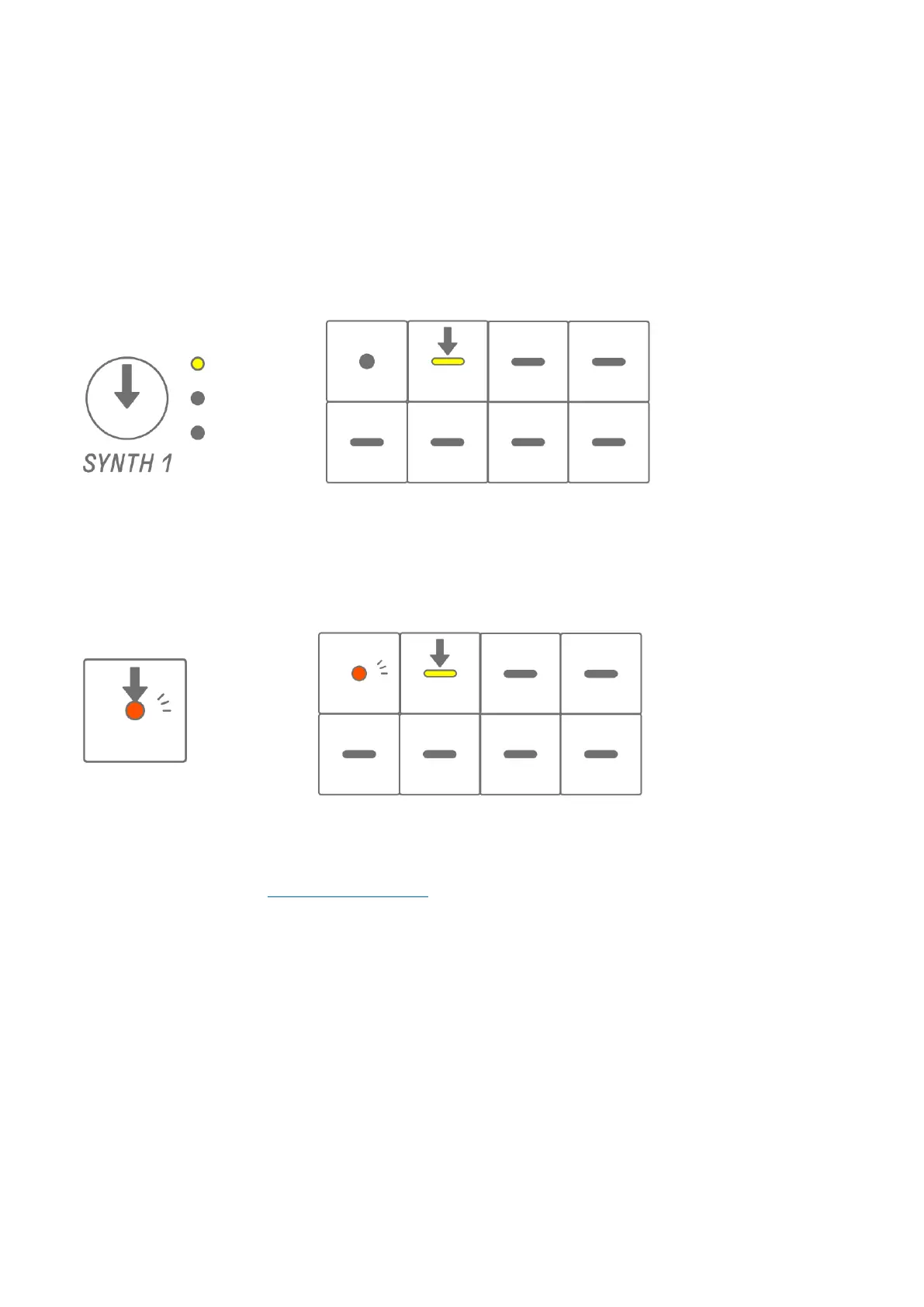
Press the [SYNTH 1] knob, [SYNTH 2] knob, or [DX] knob to select a Synth track.
Press the Synth keys to play in real time.
Press the Record key to start recording. You can record the sounds (notes) of the Synth keys
you press.
While recording, the Record key flashes in red and the current position in the pattern is
displayed on the Drum keys.
NOTE
・ Real-time input is also possible from external MIDI devices. For details about channel
assignments, see “17.2 MIDI Channels.”
・ You can record overdubs while leaving previously recorded notes in place. However, if
you record a note with the same pitch as a previously recorded note, the length of the
previously recorded note will be rewritten.



 To Next Page