SEQTRAK User Guide
4.4 Deleting a Project
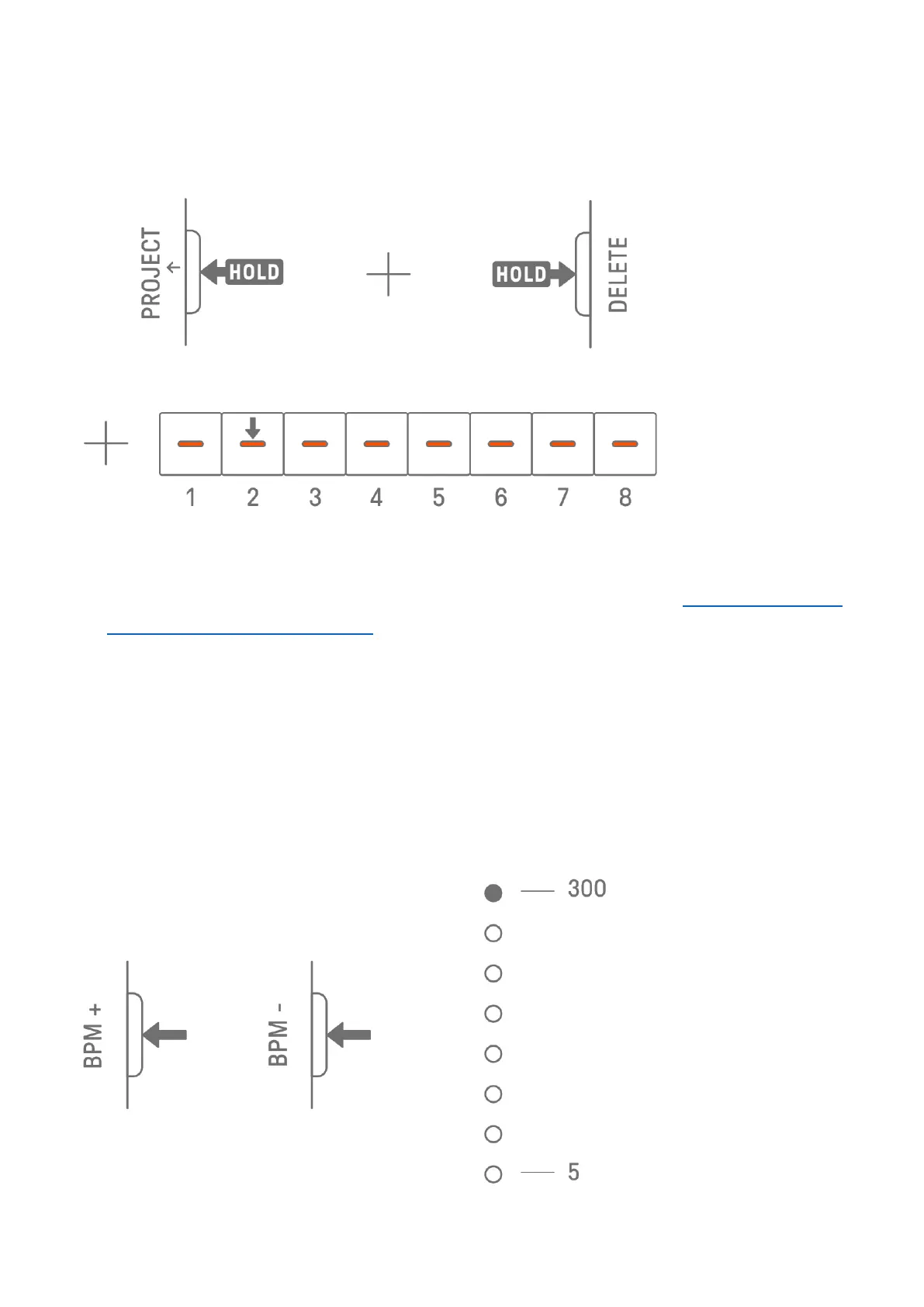
To delete a project, hold down the [PROJECT↑] and [DELETE] buttons and press the
corresponding Drum key.
NOTE
・ After a project is deleted, it will contain only one KICK step.
・ The demo data for a deleted project can be restored as described in “15.1 Restoring the
Factory Defaults (Factory Reset).”
4.5 Setting the Tempo of a Project
4.5.1 Changing the playback tempo of a project
To change the playback tempo of a project, press the [BPM+] or [BPM−] button. The tempo
can be adjusted between 5 and 300 BPM. Press and hold the [BPM+] or [BPM−] button to
scroll through the values continuously.
Press both buttons at the same time to set the tempo to the starting value for the recently
opened project.



 To Next Page