SEQTRAK User Guide
4. Projects
SEQTRAK manages the data of a single song in units called “projects.” Up to eight projects
can be stored in SEQTRAK, and one project can be used at a single time. A project consists
of 11 tracks, and up to 6 patterns can be created on each track. A project also includes
settings and states such as tempo and track volume.
4.1 Switching Projects
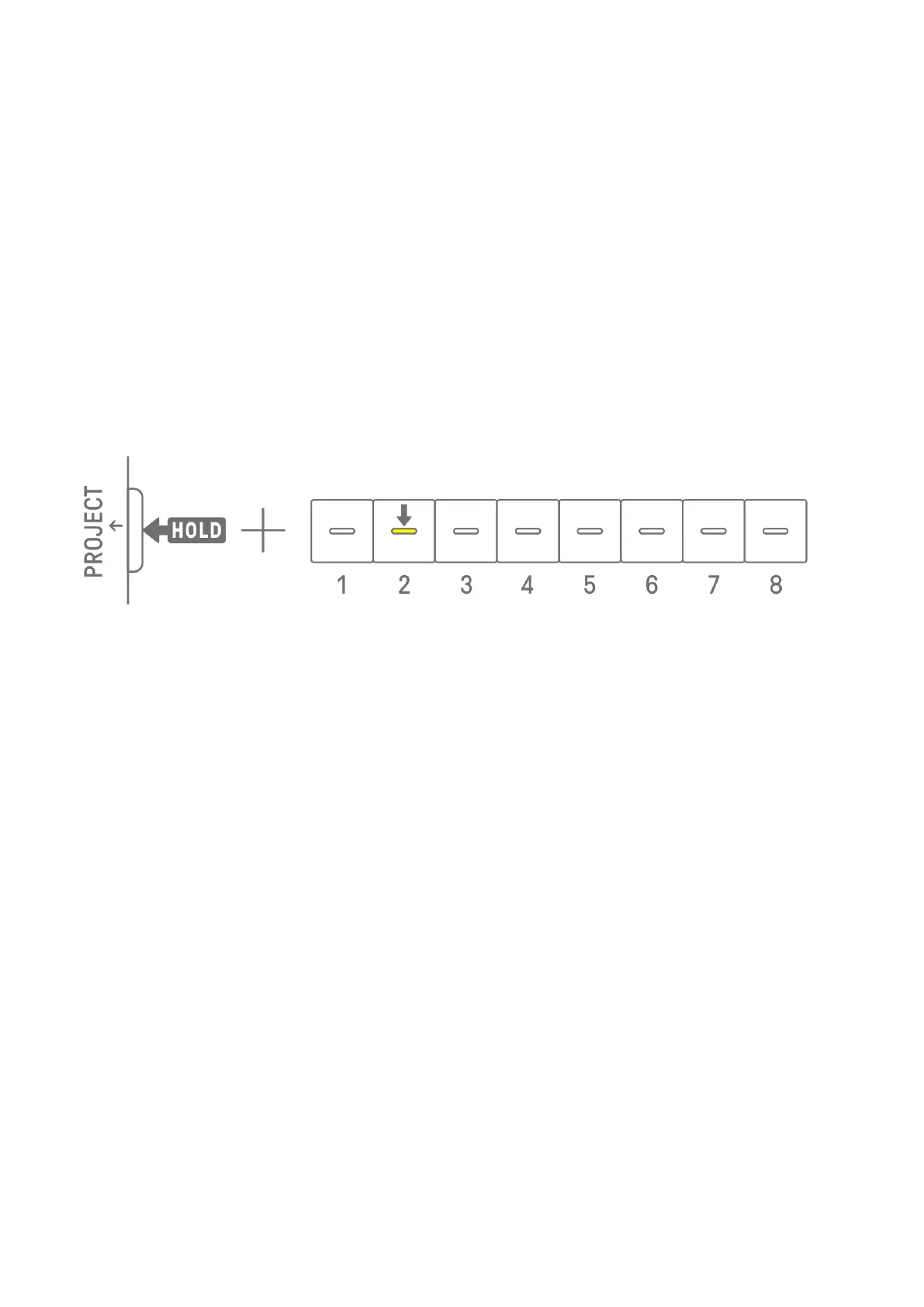
To switch to another project, hold down the [PROJECT↑] button and press a Drum key. Drum
keys 1–8 correspond to projects 1–8. The Drum key for the currently selected project lights
up in yellow.
In the factory default state, projects 1–3 contain demo data, and projects 4–8 contain only
one KICK step. Demo data can be edited by the user.
NOTE
・ The current project will be saved automatically before switching projects.
4.2 Saving a Project
Projects are saved automatically when SEQTRAK is turned off or when switching projects.
No operation is required to save the project.
4.3 Backing Up and Restoring a Project
You can save a project in the SEQTRAK app and recall a project from the app to SEQTRAK.



 To Next Page