SEQTRAK User Guide
9.2 Setting Sound and Effect Parameters for Each Step (Parameter Lock)
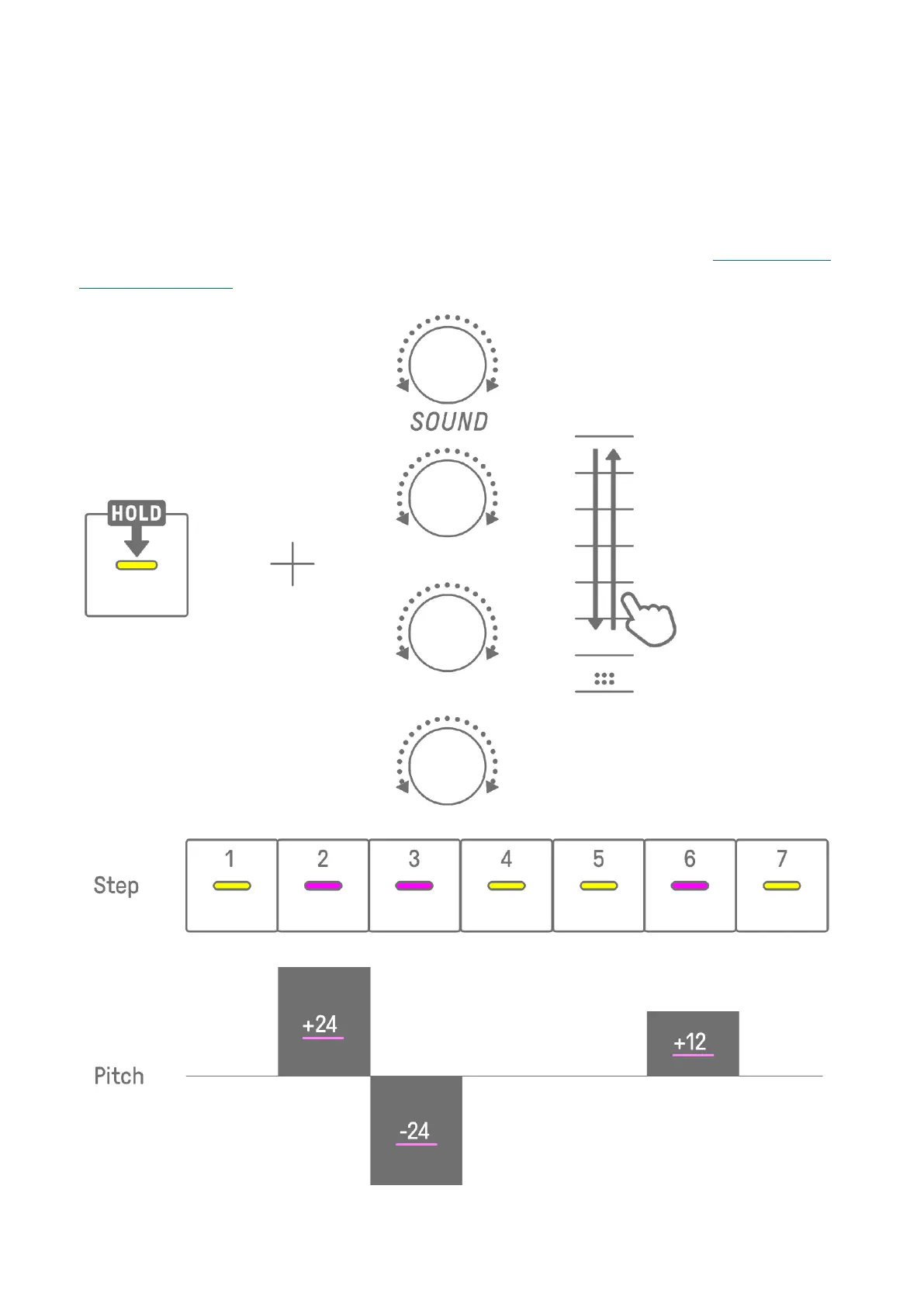
You can set the sound design and single effect parameters for each step (Parameter Lock).
Hold down a Drum key that is on and turn Sound Design knobs 1–4 or sliding the [FX LEVEL]
touch slider to enable Parameter Lock for that step. Steps for which Parameter Lock is
enabled are lit in purple.
For details about parameters for which Parameter Lock can be enabled, see “9.1 Adjusting
Sound Parameters.”



 To Next Page