SEQTRAK User Guide
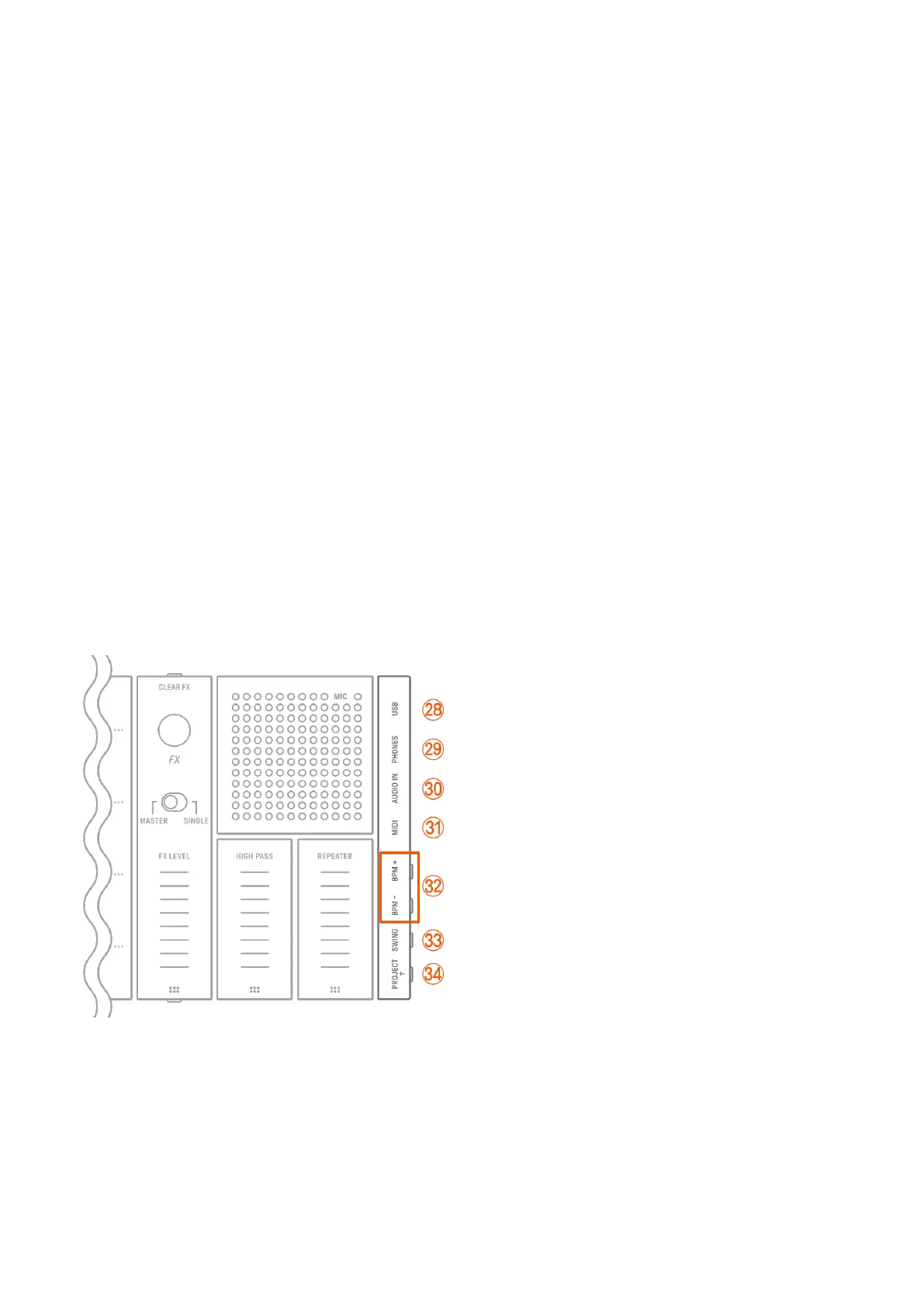
v [CLEAR FX] button
Press to reduce an effect to the minimum level.
w [FX] knob
Turn this knob to change the type of effect.
x [MASTER/SINGLE] switch
Switches between the effects to be controlled.
MASTER: Effects applied to all tracks
SINGLE: Effects applied only to the target track
y [FX LEVEL] [HIGH PASS] [REPEATER] touch sliders
Slide to adjust the effect parameters.
When the effect page is set to Page 1, [HIGH PASS] and [REPEATER] are applied to all
tracks regardless of how the [MASTER/SINGLE] switch is set.
z FX Page button
Press to change the parameters controlled by the touch sliders.
A Speaker and microphone
Built-in speaker and microphone.
B–H Right side
B [USB] terminal (USB Type-C™)
USB Type-C terminal. The included USB-C to USB-C cable can be used to charge the unit
and to connect to computers and MIDI devices.
NOTICE
・ After disconnecting the USB cable, wait at least 6 seconds before connecting it again.
Quickly disconnecting and connecting the cable could cause the unit to malfunction.



 To Next Page