SEQTRAK User Guide
8.3 Changing the Sampling Source
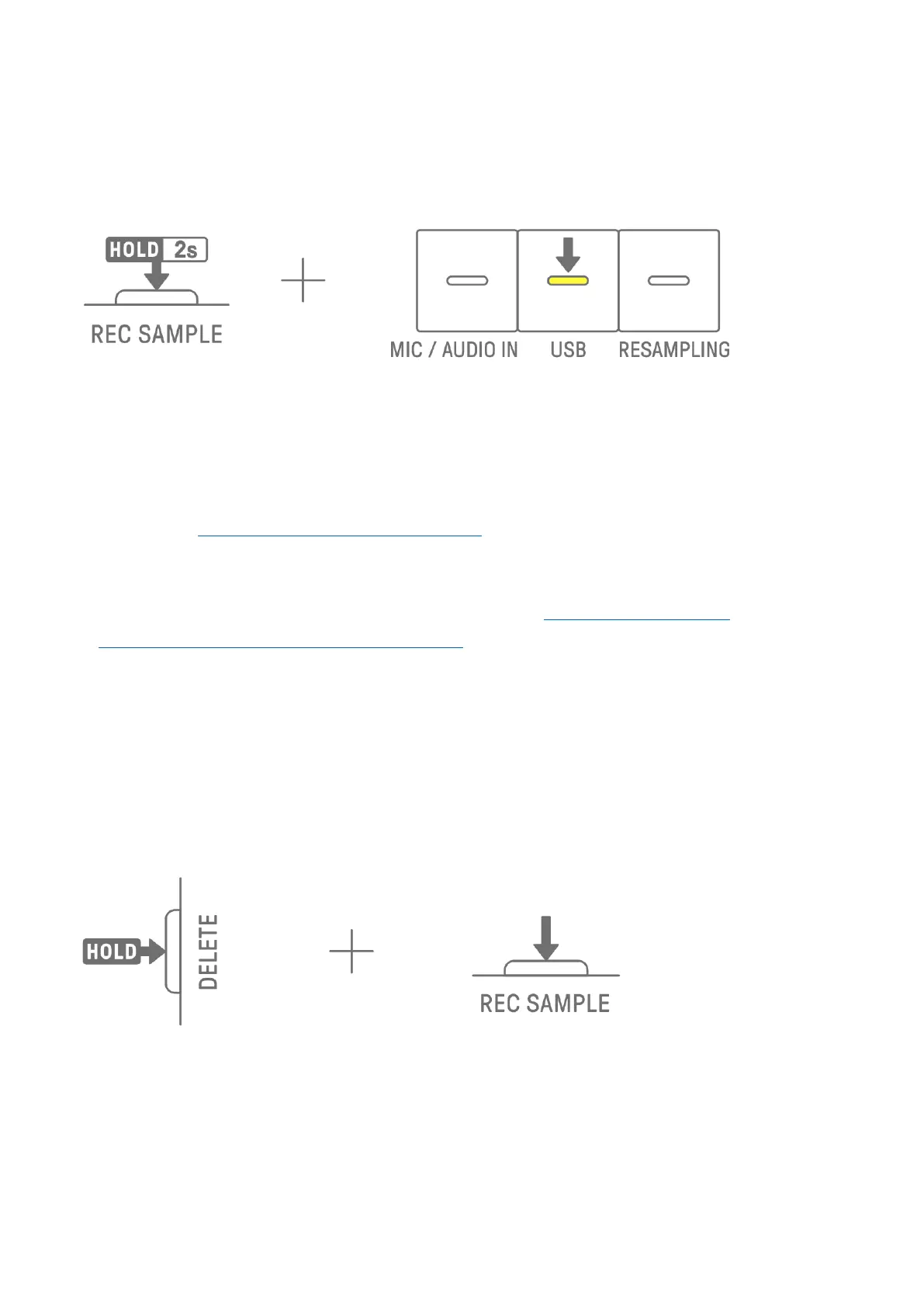
You can select from three sampling sources: built-in microphone/AUDIO IN input, USB audio
input, or resampling. To change the sampling source, Hold down the [REC SAMPLE] button
for at least 2 seconds and press the Drum key that is lit in white.
8.4 Resampling
Resampling is the process of sampling audio directly from the SEQTRAK as it is being played
by the device. Use the following procedure for resampling.
1. Change the sampling source to resampling. For details about how to change the sampling
source, see “8.3 Changing the Sampling Source.”
2. Change and adjust the pattern on each track.
3. Start sampling. For details about how to sample, see “8.2 Sampling (Built-In
Microphone/AUDIO IN and USB Audio Input).”
NOTE
・ The metronome is muted while resampling, regardless of the setting.
8.5 Canceling Sampling
Sampling can be canceled while it is in progress. To cancel sampling, Hold down the
[DELETE] button and press the [REC SAMPLE] button. After sampling is canceled, the sounds
are restored to their previous state before sampling.



 To Next Page