SEQTRAK User Guide
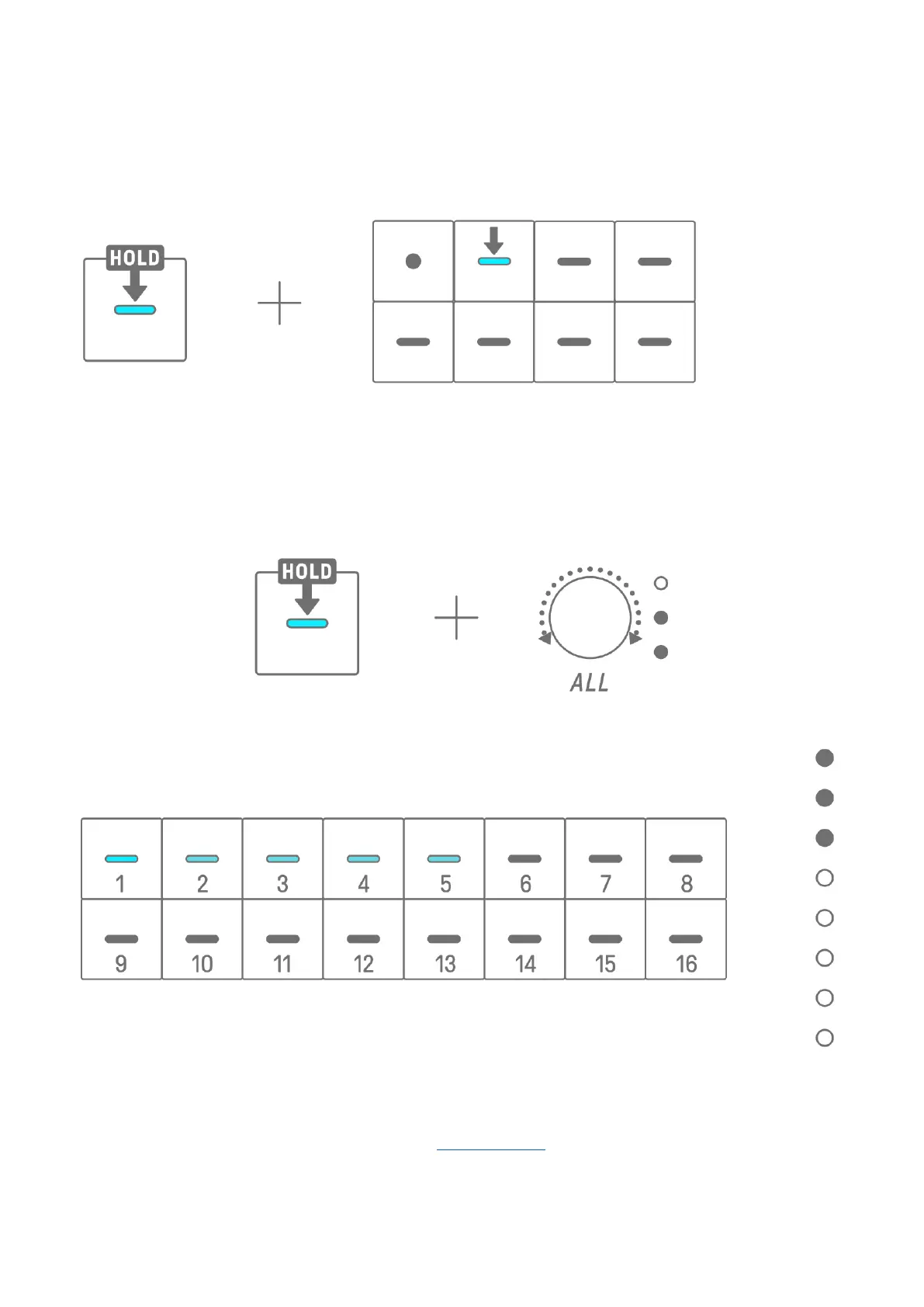
Hold down a Drum key and press a Synth key to add or remove notes assigned to the Synth
key to/from the selected step. If MONO/POLY/CHORD is set to CHORD, all notes already
entered are deleted and notes of the chord are added. If the notes entered exactly match the
notes of the chord, all notes are deleted.
To change the length of the notes of the selected step, simultaneously press and hold a
Drum key that is on and turn the [ALL] knob. If the selected step has multiple notes,
simultaneously press and hold the Drum and Synth keys and turn the [ALL] knob to change
the length of individual notes.
The length of the note is indicated by the Drum keys and the Global Meter.
NOTE
・ When the power is turned off, Step Input mode is automatically disabled.
・ In Step Input mode, you can change the Micro Timing of notes.



 To Next Page