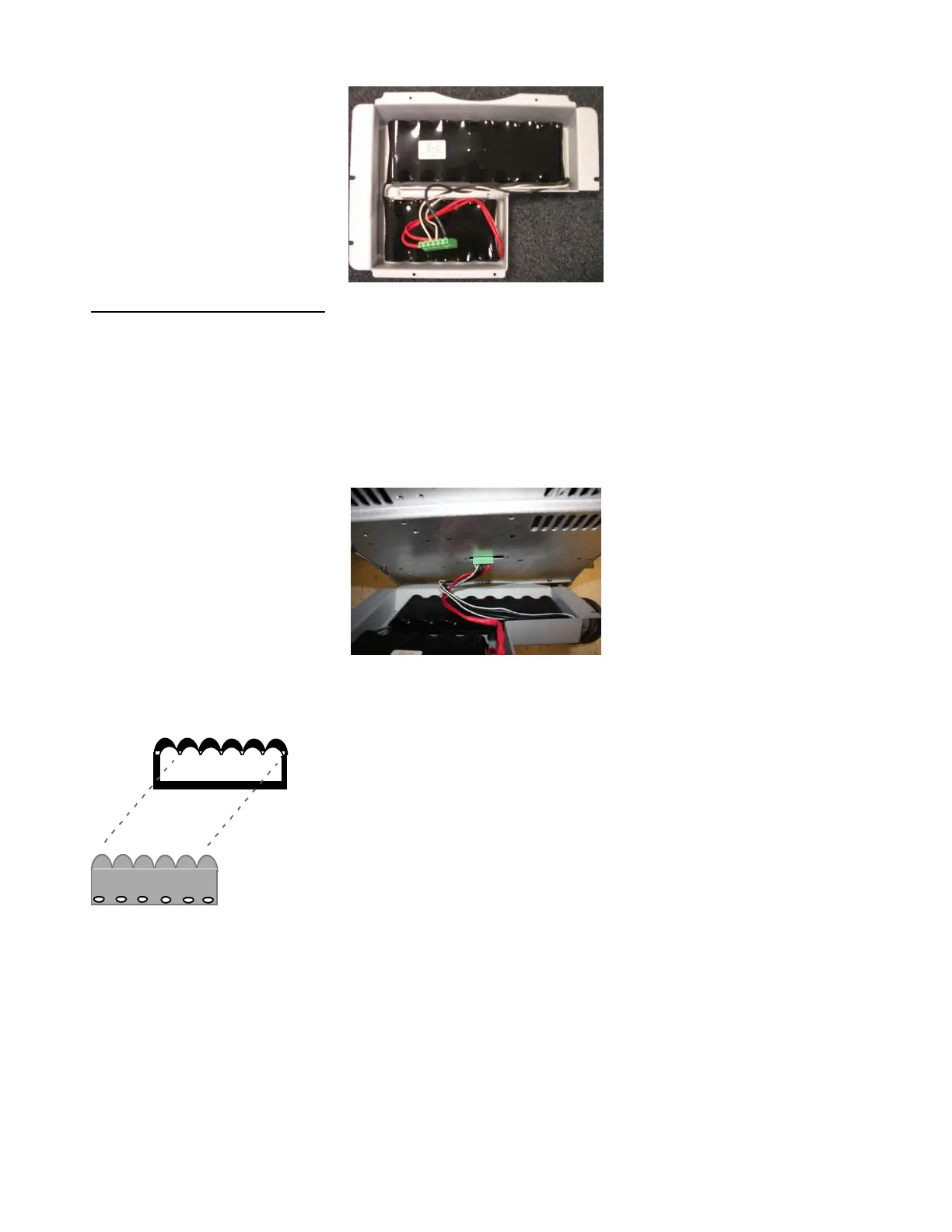
Battery Pack Re-Installation:
1. Insure the main AC power cord to the rear of the system is NOT connected to
wall source.
2. While holding the battery pack in position, plug the power connector into the
receptacle on the bottom of the power supply.
3. While still supporting the weight of the battery pack attach the power cable to
the mating connector on the bottom side of the power supply module on the system.
Warning: Be very careful to have the proper connector to socket orientation (note the
rounded humps on one side, as shown below) when installing this cable. DO NOT FORCE connection,
as this will damage connector and internal electronics.
Note rounded “hump” side
alignment between connector
and socket
4. While still supporting the weight of the battery pack, slide the slotted holes in
the left side of the cover onto the two (2) loosened mounting screws on the left side of the
power supply module.
5. Reinstall all mounting hardware to complete the installation.
6. Before powering on the cart, please engage the two circuit breakers as follows:
a. A. Push “in” the circuit breaker on the rear of the zpak



 To Next Page