3
Screen Operations
- 3.2
Input Dialog Box
10
3
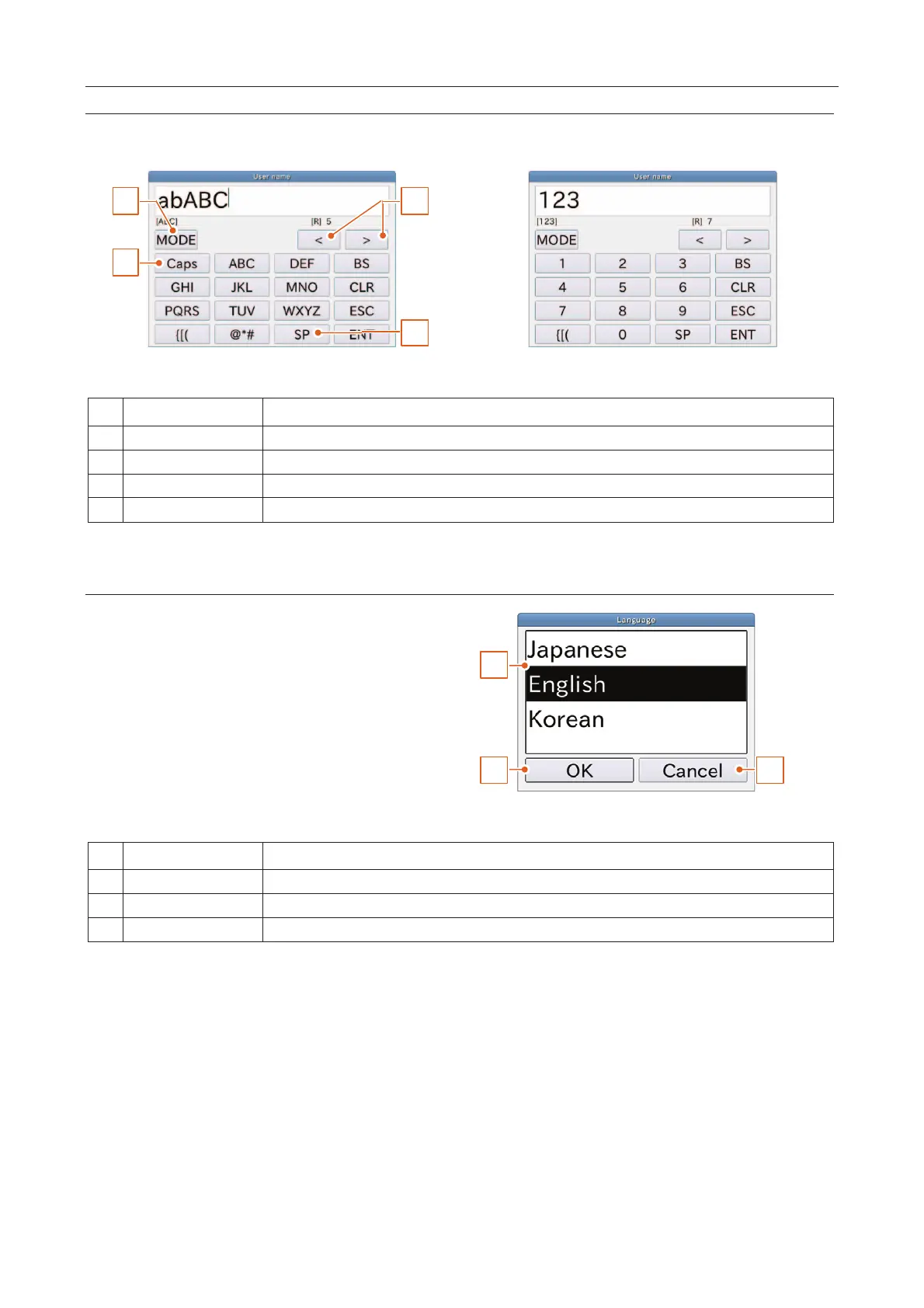
Character Input Dialog Box
When a character is required, the character input dialog box is displayed.
1
2
4
3
Fig. 77 CCharacter Input Dialog Box
Fig. 88 NNumerical Input Dialog Box
Switches Roman alphabet characters and numerical characters.
Switches lowercase and uppercase.
Drop Down List Dialog Box
When an item selection is required, the drop
down list dialog box is displayed.
1
2 3
Fig. 99 DDrop Down List Dialog Box
Cancels the current input and returns to the last display.



 To Next Page