7
Reference Table of Screens and Menu Items
- 7.3
Settings Screen (Common Settings Tab)
50
7
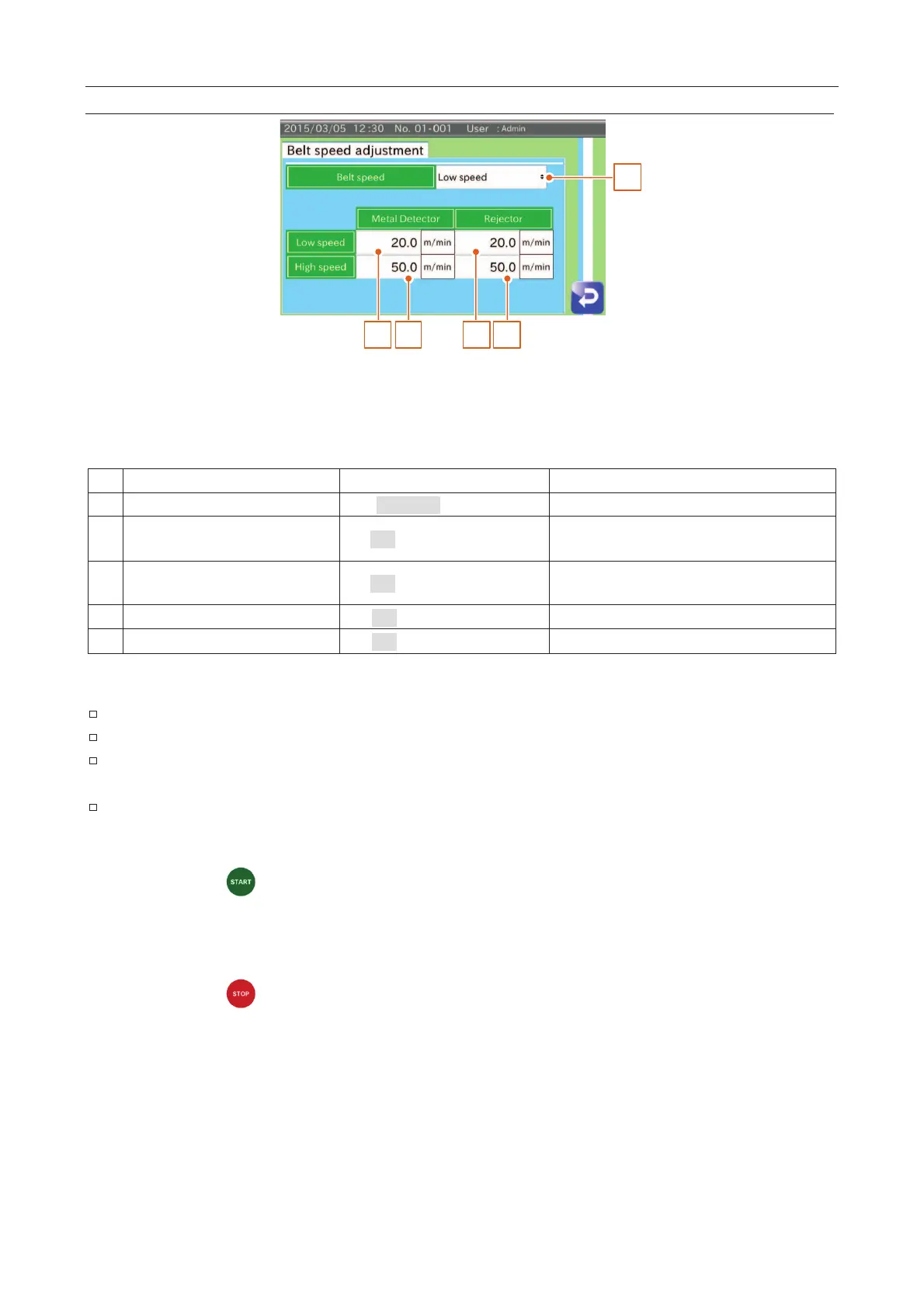
Belt Speed Adjustment Screen
1
2 3 4 5
Fig. 665 BBelt Speed Adjustment Screen
This function can be used to adjust the belt speed when the belt speed specified at the sensitivity adjustment is not
equal to the actual belt speed.
Belt speed can be selected.
Low speed 20.0
The belt speed of the metal detector can be
inputted.
High speed 50.0
The belt speed of the metal detector can be
inputted.
20.0 (10.0 to 60.0 m/min.)
The belt speed of the rejecter can be inputted.
50.0 (10.0 to 60.0 m/min.)
The belt speed of the rejecter can be inputted.
A tachometer is necessary to adjust the speed.
This belt speed adjustment cannot be used during the inspection.
Perform the belt speed adjustment of the rejecter when assembling the metal detector and
rejecter.
Perform the belt speed adjustment in order from low to high speed.
1. Select low speed.
2. Press the "Start
" button on the display module. Measure the speed using the tachometer.
3. Input the belt speed on the screen so that the measured speed becomes the target speed.
Example: If a measured belt speed is 18.5 m/min, input "18.5" in the box.
4. Change to high speed. Adjust the speed as was done during low speed adjustment.
5. Press the "Stop
" button to stop the belt on the display module.



 To Next Page