13
Appendix A : Configuration Examples
- 13.2
Phase Tracking in Calibration
77
1
Phase Tracking in Calibration
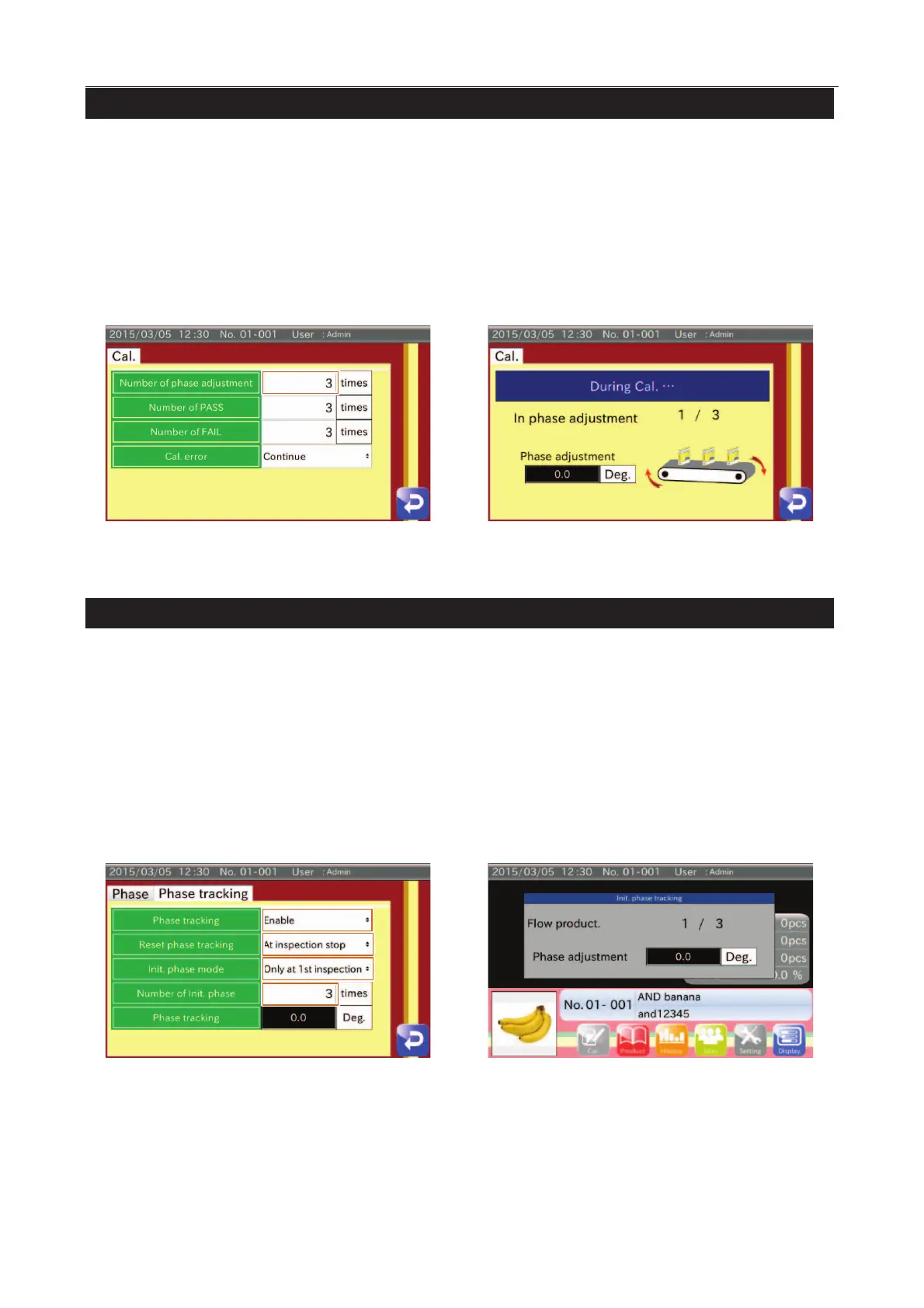
1. Touch the "Phase" button in the "Product setting" screen (Product settings tab) to display the "Calibration settings"
screen.
Select an arbitrary setting for Number of phase adjustment.
2. Display the "Calibration" screen and start calibration.
Before starting noemal calibration, feed the product without testpiece for phase tracking.
3. Start normal calibration.
Fig. 992 PPhase Tracking iin CCalibration
4. Touch the "Phase" button in the "Product setting" screen (Product settings tab) to display the "Phase settings" screen
(Phase tracking tab).
Select "Enable" for Phase tracking.
Select an arbitrary setting for Reset phase tracking.
Select an arbitrary setting for Init. phase mode.
Input an arbitrary setting for Number of init. phase.
5. If setting Init. phase mode, the phase tracking is started before the inspection.



 To Next Page