4
Basic Operations
- 4.3
Home Screen
15
4
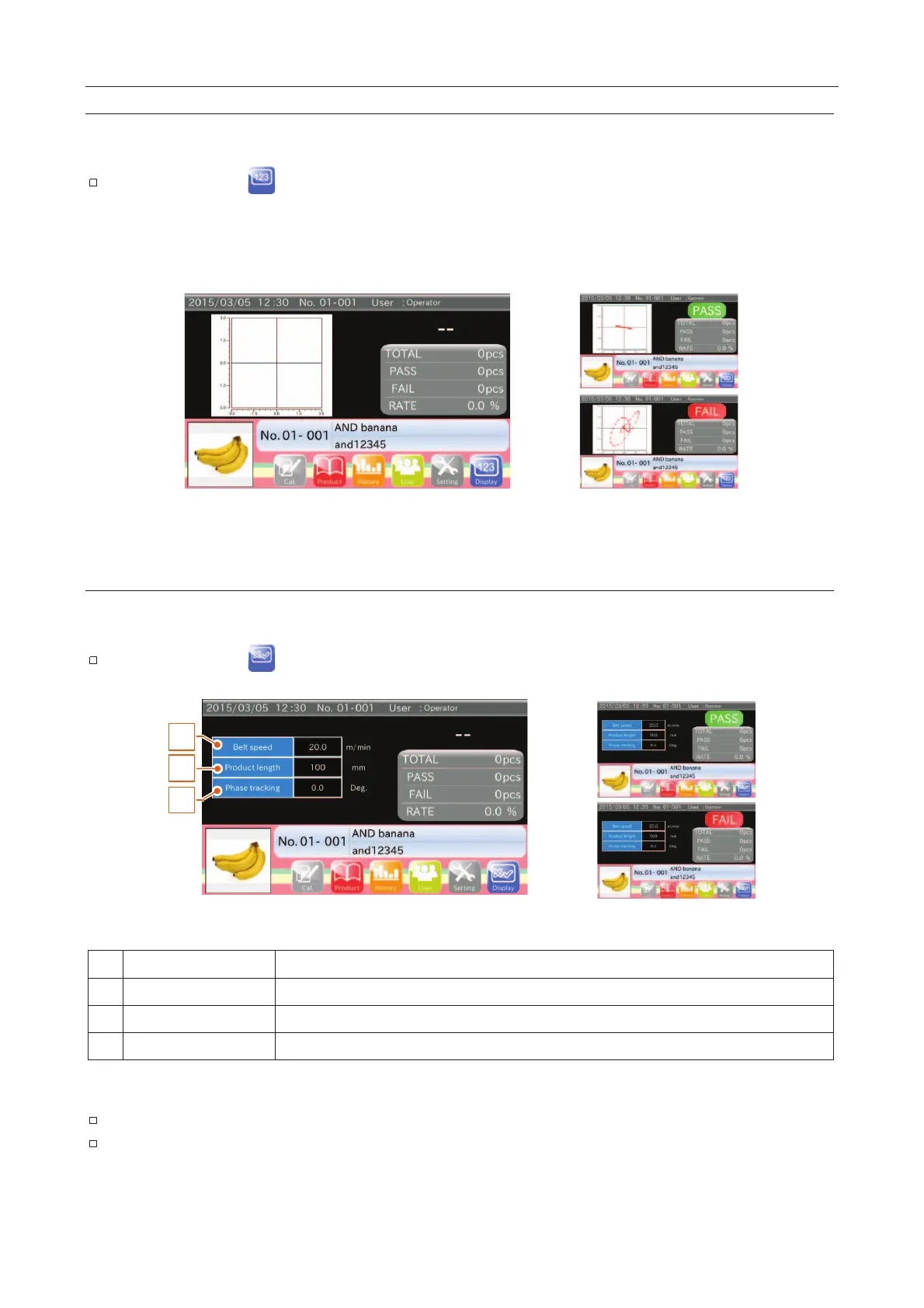
This screen displays lissajous graph.
The inspection result (Good : "PASS"; Defective : "FAIL") is displayed in the right upper corner of the screen.
Touch the "Display " icon to switch to the "Inspection settings” screen.
This screen is made available for experienced operators with the required knowledge to accurately interpret them.
However, they are not necessary for interpreting standard inspections.
Fig. 115 LLissajous Graph Screens
Inspection Settings Screen
This screen displays the part of the Inspection settings.
The inspection result (Good : "PASS"; Defective : "FAIL") is displayed in the right upper corner of the screen.
Touch the "Display " icon to switch to the "Inspection" screen.
2
3
1
Fig. 116 IInspection Settings Screen
Value of Belt speed for Inspection.
Value of Product length for Inspection.
Value of Phase tracking for Inspection.
Refer to "
4.8. Sensitivity Adjustment and Inspection Mode
"
Refer to "
7.2.3. Inspection Phase Settings Screen (Phase Tracking Tab)
"



 To Next Page