7
Reference Table of Screens and Menu Items
- 7.2
Product Settings Screen (Product Settings Tab)
44
7
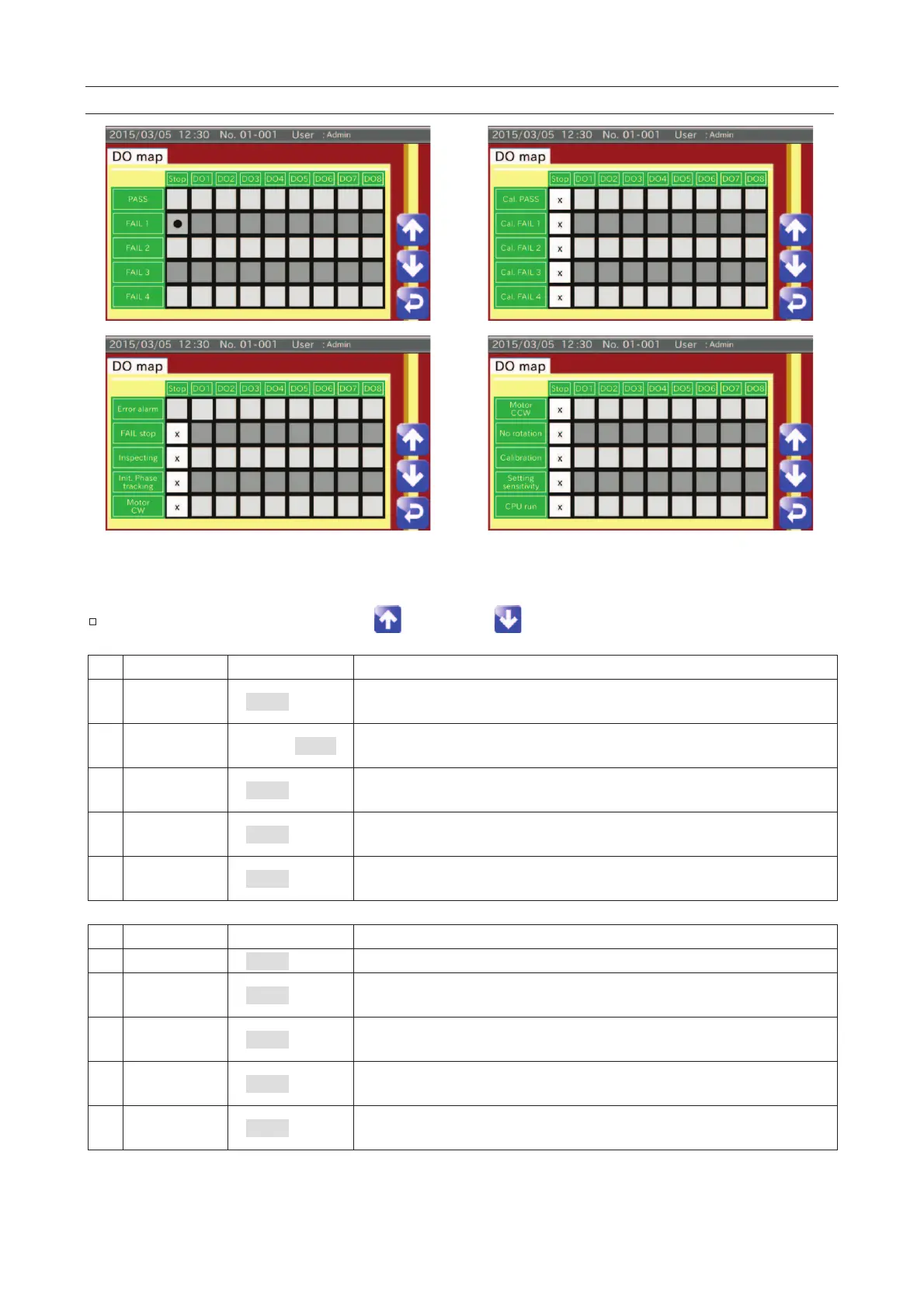
The output behavior of the DO settings can set each judgment.
The item can be changed using the "Up " and "Down " icons.
Disable
When detecting a good product during the inspection, a DO signal is
outputted.
1 Disable,
When detecting a defective product during the inspection, a DO signal is
outputted. FAIL 1 indicates a basic failure.
2 Disable
When detecting a defective product during the inspection, a DO signal is
outputted. FAIL 2 means that the PE sensor is out of range.
3 Disable
When detecting a defective product during the inspection, a DO signal is
outputted. FAIL 3 means that two defective products are detected.
4 Disable
When detecting a defective product during the inspection, a DO signal is
outputted. FAIL 4 means the failure of peripherals.
When a good product is detected during calibration, a DO signal is outputted.
FAIL 1 Disable
When a defective product is detected during calibration, a DO signal is
outputted. FAIL 1 indicates a basic failure.
FAIL 2 Disable
When a defective product is detected during calibration, a DO signal is
outputted. FAIL 2 means that the PE sensor is out of range.
FAIL 3 Disable
When a defective product is detected during calibration, a DO signal is
outputted. FAIL 3 means that two defective products are detected.
FAIL 4 Disable
When a defective product is detected during calibration, a DO signal is
outputted. FAIL 4 means the failure of peripherals.



 To Next Page