7
Reference Table of Screens and Menu Items
- 7.2
Product Settings Screen (Product Settings Tab)
43
Phase Tracking Function
This function can automatically set the value of the phase tracking when each product passes the sensor head. It
can prevent inspection errors due to temperature changes, ambient conditions and product shape.
The detection sensitivity becomes weak because it is based on the inspection phase when adjusting the inspection
sensitivity.
7
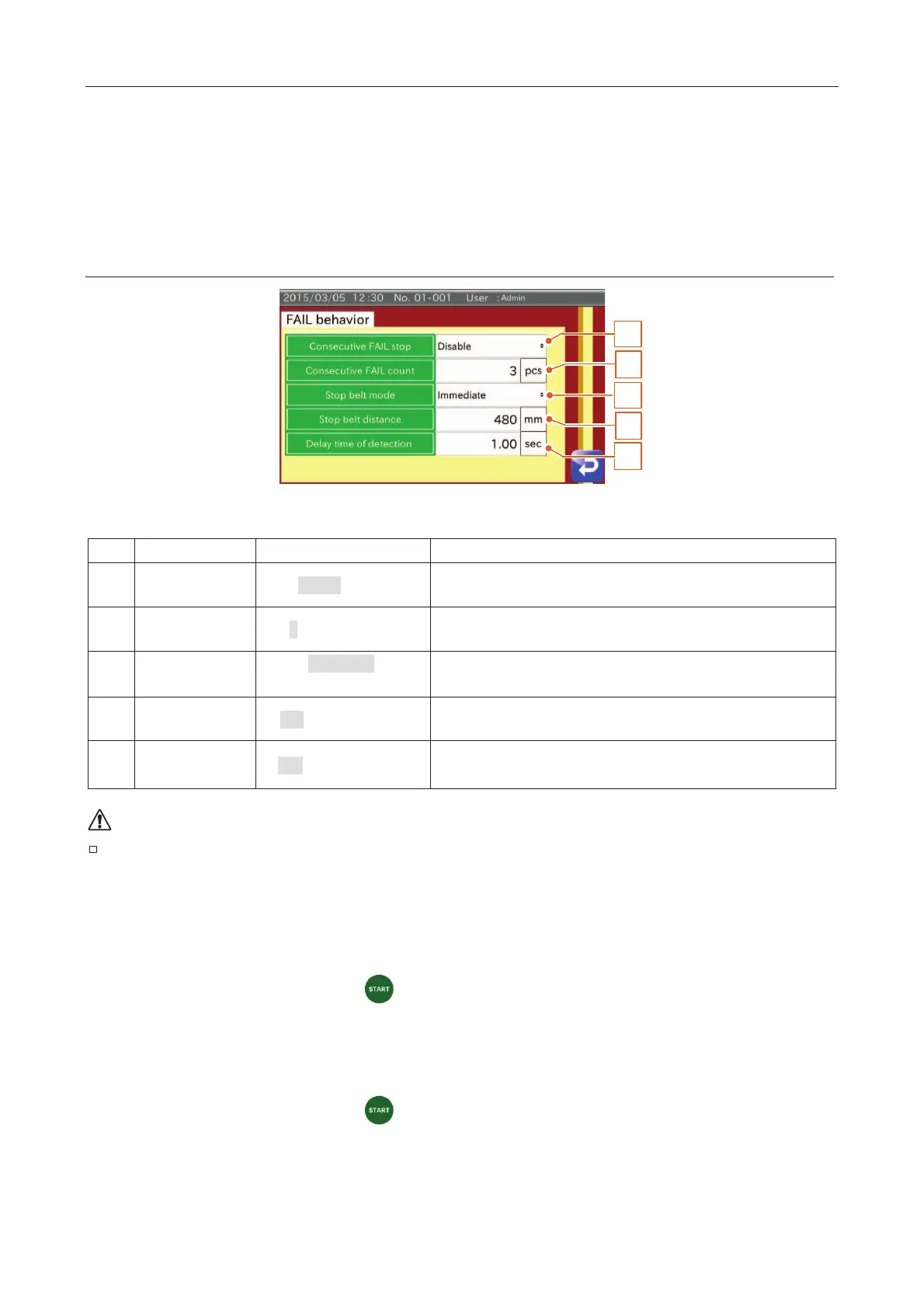
FAIL Behavior Settings Screen
3
1
5
2
4
Fig. 555 FFAIL Behavior Screen
Disable, Enable
When detecting consecutive defective products above the preset
number, the conveyor belt is stopped.
3 (1 to 10 pieces)
The number of consecutive defective products to stop the conveyor
belt.
Immediate,
At the end of belt
The stop behavior when detecting defective products.
Set the belt stop function in the DO behavior.
480 (0 to 9999
When using the belt end stop function, set the distance after passing
the PE sensor. This mode cannot be used if the PE sensor is not used.
1.00 (0.00
For the case of the detection without PE sensor, set the time until
next detection becoming effective.
The product may not be stopped at the end of belt because of the speed, mass of product or
friction of the conveyor belt.
Delay time of detection
Individual Packaging mode (PE sensor used)
Judgment of FAIL 2 is enabled.
x The time from touching the "Start
" button until starting the inspection.
x The time from detecting FAIL 2 until next detection of FAIL 2 becoming effective.
Individual Packaging mode (PE sensor not used)
Continuous mode
x The time from touching the "Start " button until starting the inspection.
x The time from detecting a product until next detection becoming effective.
Deficiency mode
Do not use this.



 To Next Page