7
Reference Table of Screens and Menu Items
- 7.2
Product Settings Screen (Product Settings Tab)
45
When detecting an error, a DO signal is outputted.
When stopping due to a failure, a DO signal is outputted.
When executing the inspection, a DO signal is outputted.
Disable
Init. phase tracking, a DO signal is outputted.
When the motor is rotating clockwise, a DO signal is outputted.
When the motor is rotating counterclockwise, a DO signal is outputted.
When stopping the motor, a DO signal is outputted.
When calibrating AD-4971, a DO signal is outputted.
When adjusting the sensitivity, a DO signal is outputted.
When the software is executing, a DO signal is outputted.
N
DO settings cannot be outputted solely by themselves. Set the DO settings with "
7.2.6. DO
Behavior Settings Screen
".
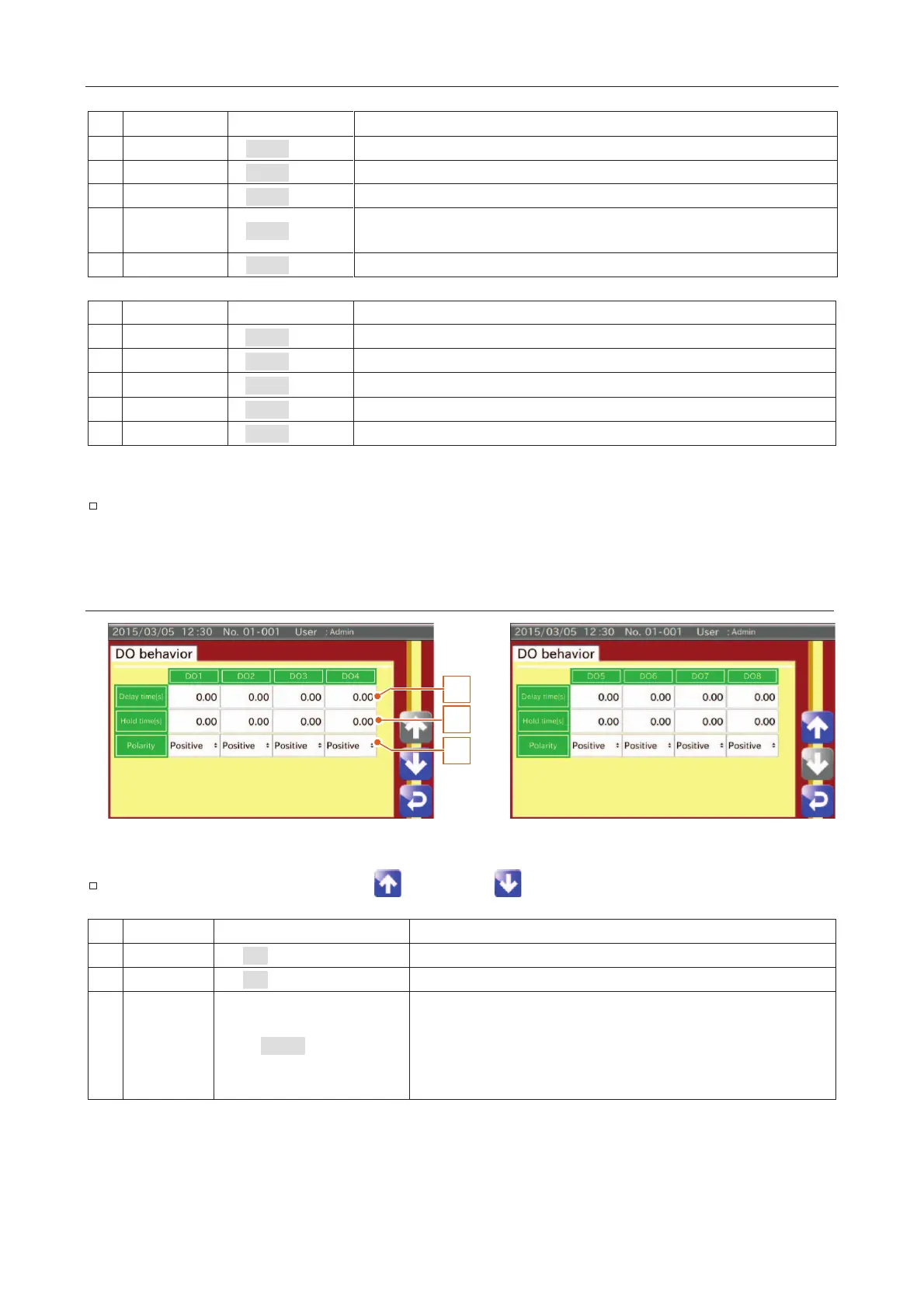
DO Behavior Settings Screen
2
1
3
Fig. 557 DDO Behavior Settings Screen
The item can be changed using the "Up " and "Down " icons.
0.00 (0.00 to 99.99 sec.)
The delay time (seconds) from the judgment to the DO signal output.
0.00 (0.00 to 99.99 sec.)
The width (seconds) of the DO signal.
Positive, Negative
Logic of the DO signal:
Positive:
When outputting a signal from the DO, the device
connected to "Contact A" makes contact with "ON".
When outputting a signal from the DO, the device
connected to "Contact B" makes contact with "ON".



 To Next Page