4
Basic Operations
- 4.4
User Management
17
3
1
2
4
7
5
6
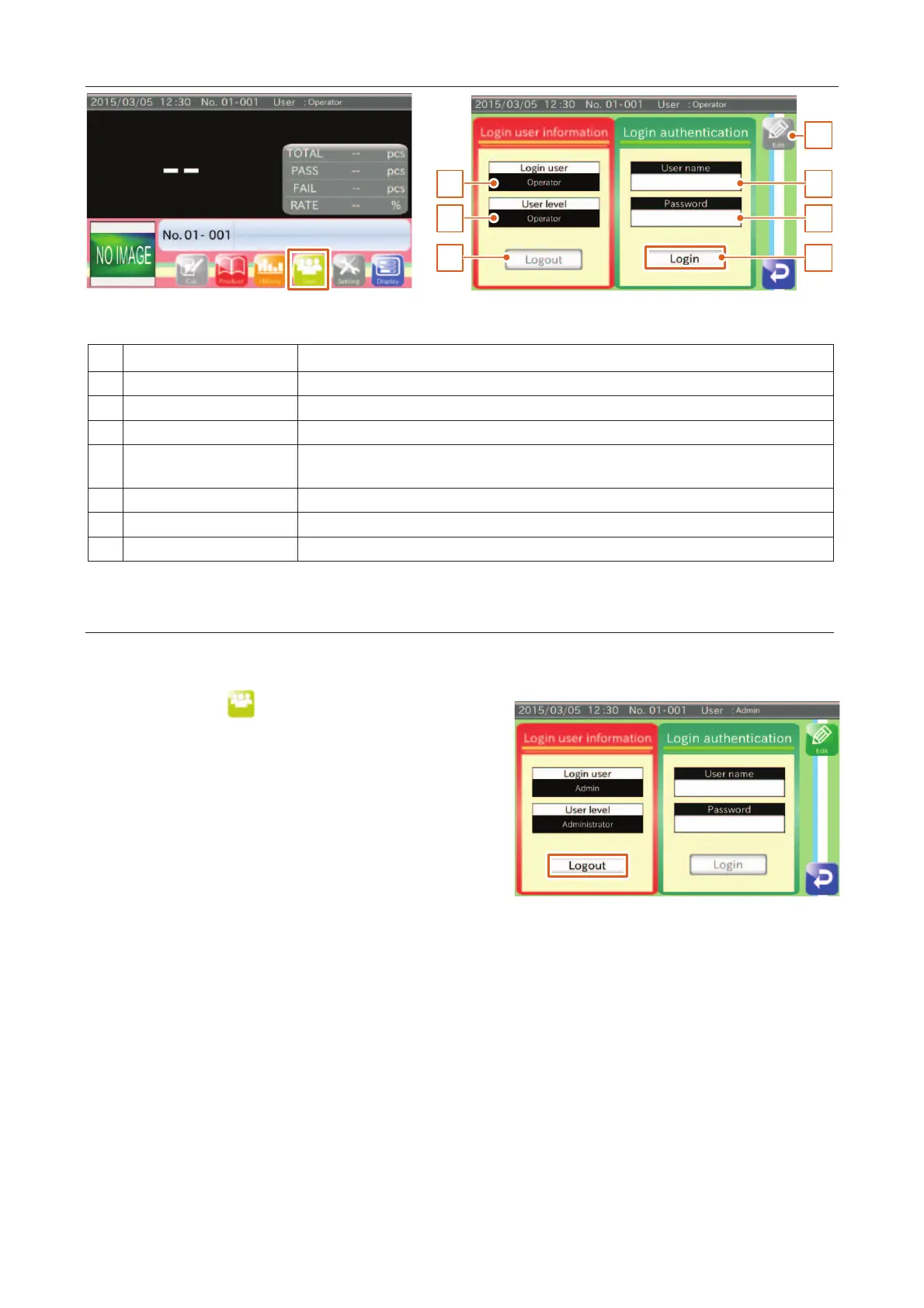
Current login user name is displayed.
Current login user level is displayed.
The button exits the current user and changes the level to "Operator".
The button moves the user to the "Edit" screen.
Only an "Administrator" can edit user data.
Touch the button to enter the program.
4
If you use a new user level, exit from the program.
Touch the "User " icon in the "Home" screen
the "Logout" screen.
Touch the "Logout" button.
Check the login user data.
User level changes to "Operator".



 To Next Page