13
Appendix A : Configuration Examples
- 13.1
Stop Belt Conveyor
76
1
Appendix A : Configuration Examples
13.1.
Stop Belt Conveyor
WARNING
The belt stop becomes difficult depending on the conveyance situation.
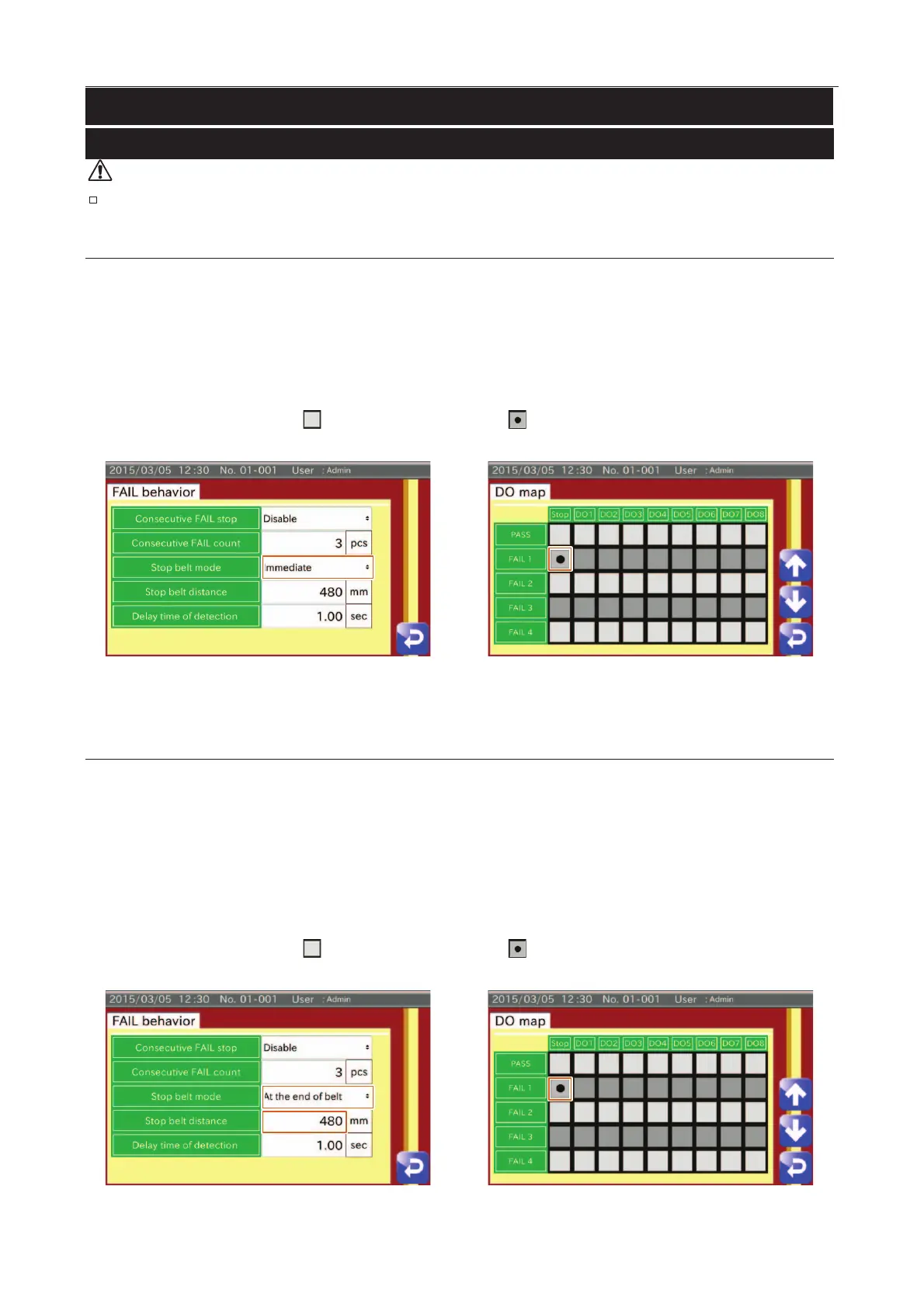
"Stop belt conveyor immediately when FAIL 1 is detected" is given as an example.
1. Touch the "FAIL behavior" button in the "Product setting" screen (Product settings tab) to display the "FAIL behavior"
screen.
Select "Immediate" for Stop belt mode.
2. Touch the "DO Map" button in the "Product setting" screen (Product settings tab) to display the "DO Map" screen.
Touch the "Stop check box"
and switch to the check mark .
Fig. 990 SStop IImmediately
Stop at the End of Belt Comveyor
"Stop at the end of belt conveyor when FAIL 1 is detected" is given as an example.
1. Touch the "FAIL behavior" button in the "Product setting" screen (Product settings tab) to display the "FAIL behavior"
screen.
Select "At the end of belt" for Stop belt mode.
Input the stop belt distance (PE sensor as a standard).
2. Touch the "DO Map" button in the "Product setting" screen (Product Settings tab) to display the "DO Map" screen.
Touch the "Stop check box"
and switch to the check mark .
Fig. 991 SStop at the End of Belt CComveyor



 To Next Page