4
Basic Operations
- 4.3
Home Screen
13
4
Touch the "Display " icon to switch between each "Home" screen.
Inspection Screen Bar Graph Screen
Inspection Settings Screen Lissajous Graph Screen
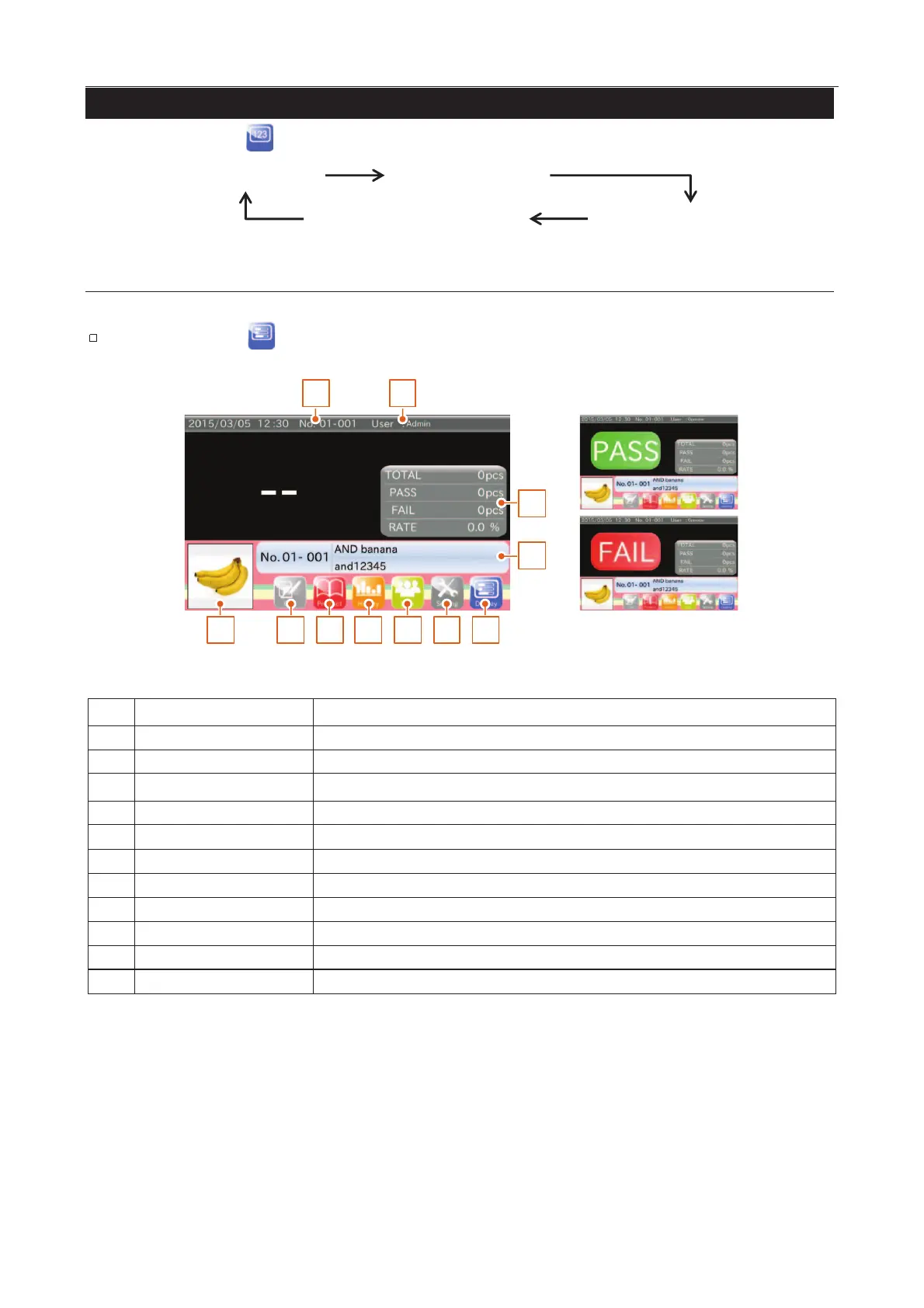
The inspection result (Good : "PASS", Defective : "FAIL") is displayed in the center of the screen.
Touch the "Display " icon to switch the "Bar graph" screen.
65 7 8 9 10 11
1 2
3
4
Fig. 112 IInspection Screens
Inspected product number.
The total count, the PASS count, the FAIL count, the FAIL rate.
The inspected product name and product code.
"Calibration" screen is displayed.
"Product selection" screen is displayed.
"History" screen is displayed.
"Login" screen is displayed.
"Setting" screen is displayed.
The "Home screens" are switched alternatively.



 To Next Page