8
Modbus Communication
- 8.1
RTU Connection for Modbus
58
8
Modbus is a communications protocol developed by Modicon, Inc. in U.S.A. Therefore, communication with Modbus
enabled devices can be performed without special programs. The AD-4971 uses Modbus RTU (using the serial
communication protocol of the RS-485) and Modbus TCP (with the serial communication expanded to TCP/IP).
Modbus communication can perform setting changes, reading of summary data, writing DI and reading of the DO
status.
Changes of the product setting can only be performed for the product selected in inspection
mode through Modbus communication.
When group numbers or product numbers are changed by Modbus communication, the new
settings will be read. When the number has not been registered, a new registration is
performed and the settings are read.
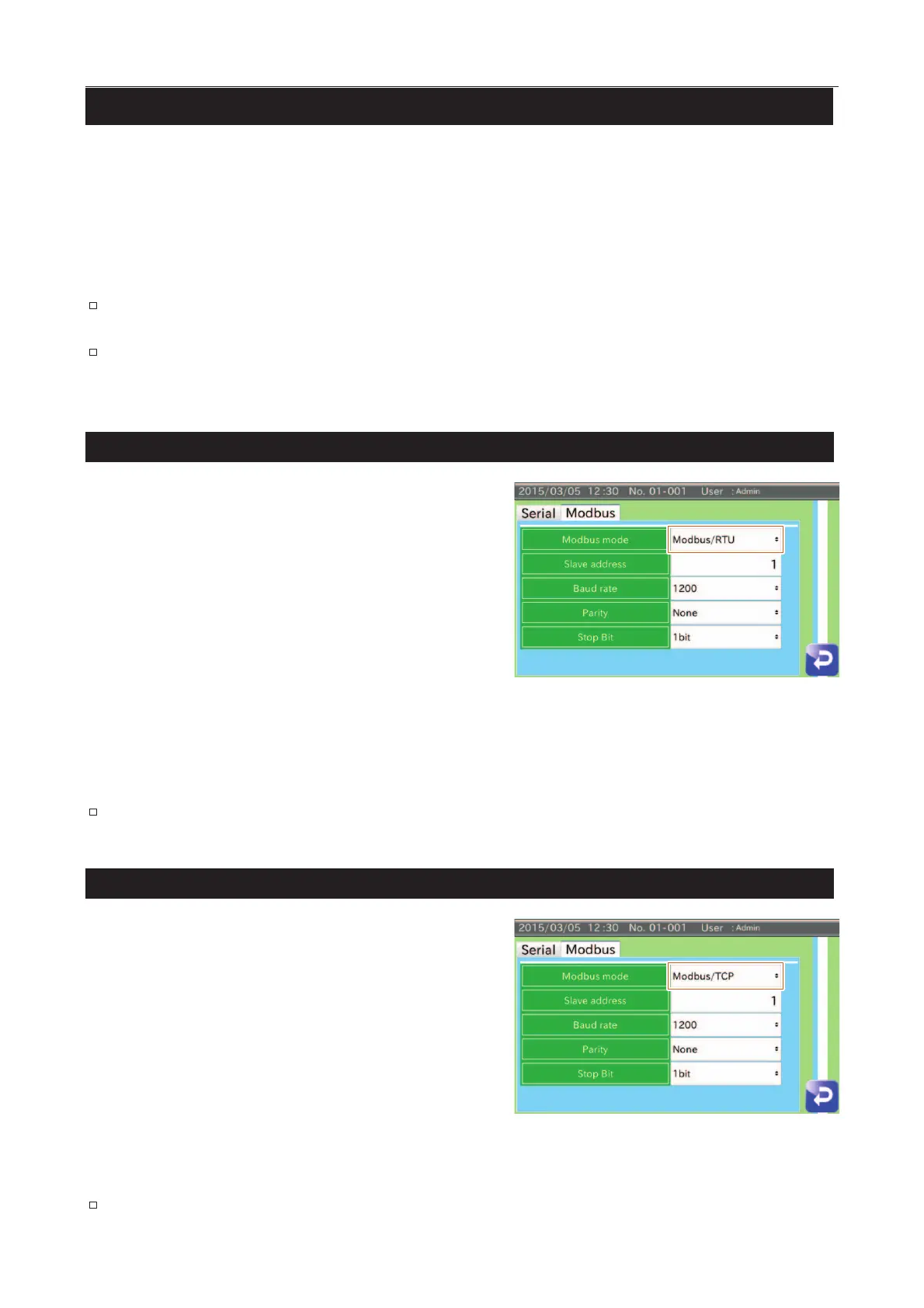
RTU Connection for Modbus
Display the "Communication settings" screen (Modbus
tab).
Select "Modbus/RTU" for Modbus mode.
Restart the AD-4971 after setting "Modbus
the settings will become effective.
Input a slave address.
Display the "Communication settings
Modbus/RTU has 8 data bits.
Connect the cable to
the communication interface and confirm
the communication.
Fig. 779 MModbus/RTU Screen
Refer to "
7.3.8. Connection Settings Screen (Serial Interface Tab)
".
TCP Connection for Modbus
Display the "Communication settings" screen (Modbus
Select "Modbus/TCP" for Modbus mode.
Restart the AD-4971 after setting "Modbus
the settings will become effective.
Input a slave address.
Connect the cable to the communication
the communication.
Fig. 880 MModbus/TCP Screen
Refer to "
7.4.3. LAN Settings Screen
".



 To Next Page