5
Using a USB Flash Drive
- 5.2
Storing the Results and the History
33
5
Storing the Results and the History
5.2.1.
Storing the Inspection Results and the Calibration Results
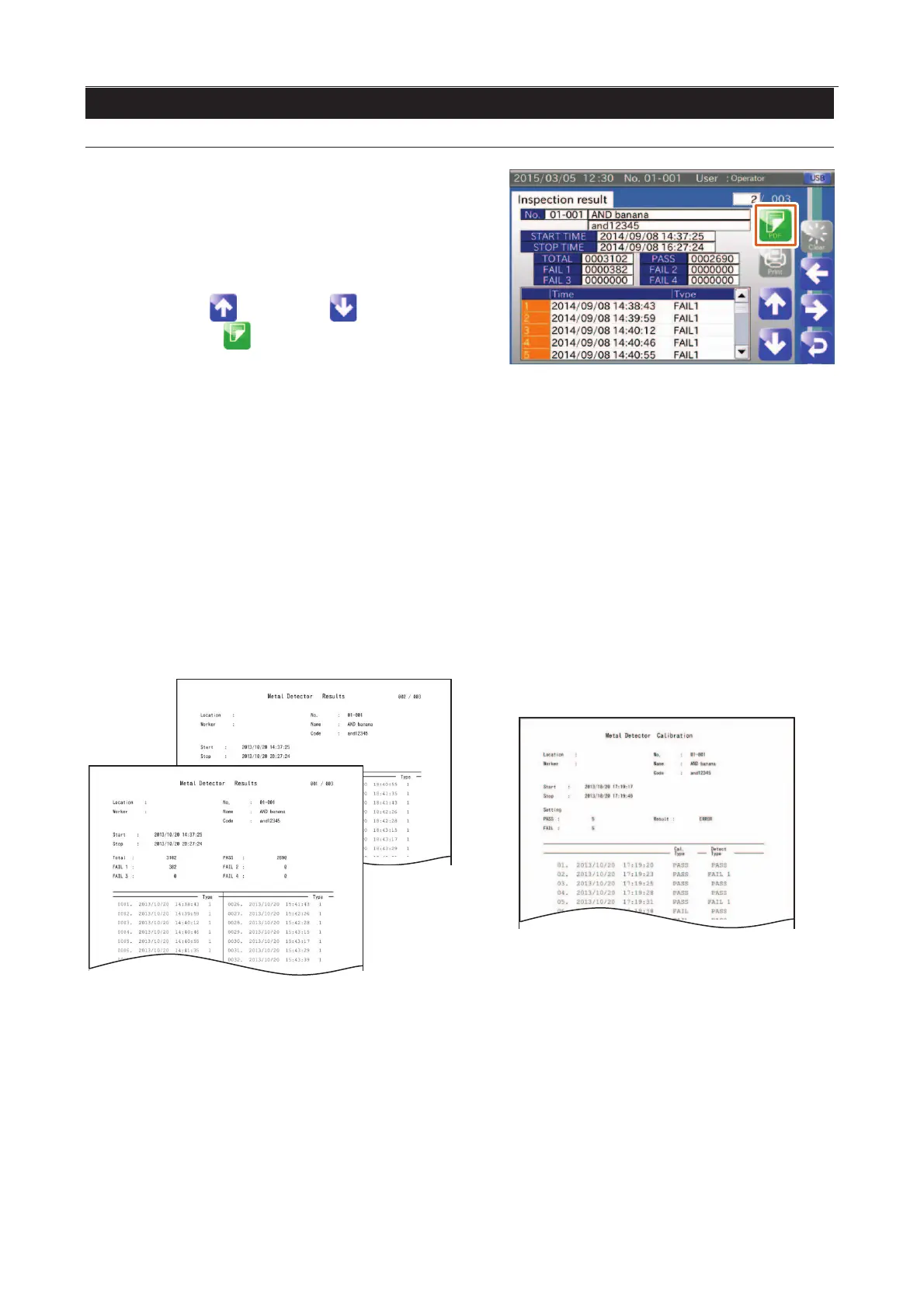
Display the "Inspection results" screen or "Calibration
results" screen in the "History" screen.
Connect the USB flash drive to the connector on the display
module.
Select the inspection or the calibration
using the "Up " and "Down " icons.
Touch the "PDF " icon to display the "PDF
and touch the "YES" button.
Fig. 440 IInspection Results
Directory: Root directory of the USB drive.
File name: Result_Detect_"Start Time".pdf
File name: Result_Calibr_"Start Time".pdf
Inspection Results
When the beginning of the inspection is "08/09/2014 14:37:25", the filename is "Result_Detect_20140908143725.pdf".
If many defective products are recorded, multiple pages are used. The inspection count is given on the first page
only.
Calibration results
When the beginning of the calibration is "08/09/2014 14:37:25", the filename is "Result_Calibr_20140908143725.pdf".
Fig. 441 Example of Inspection Results
Fig. 442 Example of CCalibration Results



 To Next Page