7
Reference Table of Screens and Menu Items
- 7.1
Product Settings Screen (Product Edit Tab)
39
Time settings screen
/Restore screen
USB memory settings screen
Export inspection history
7
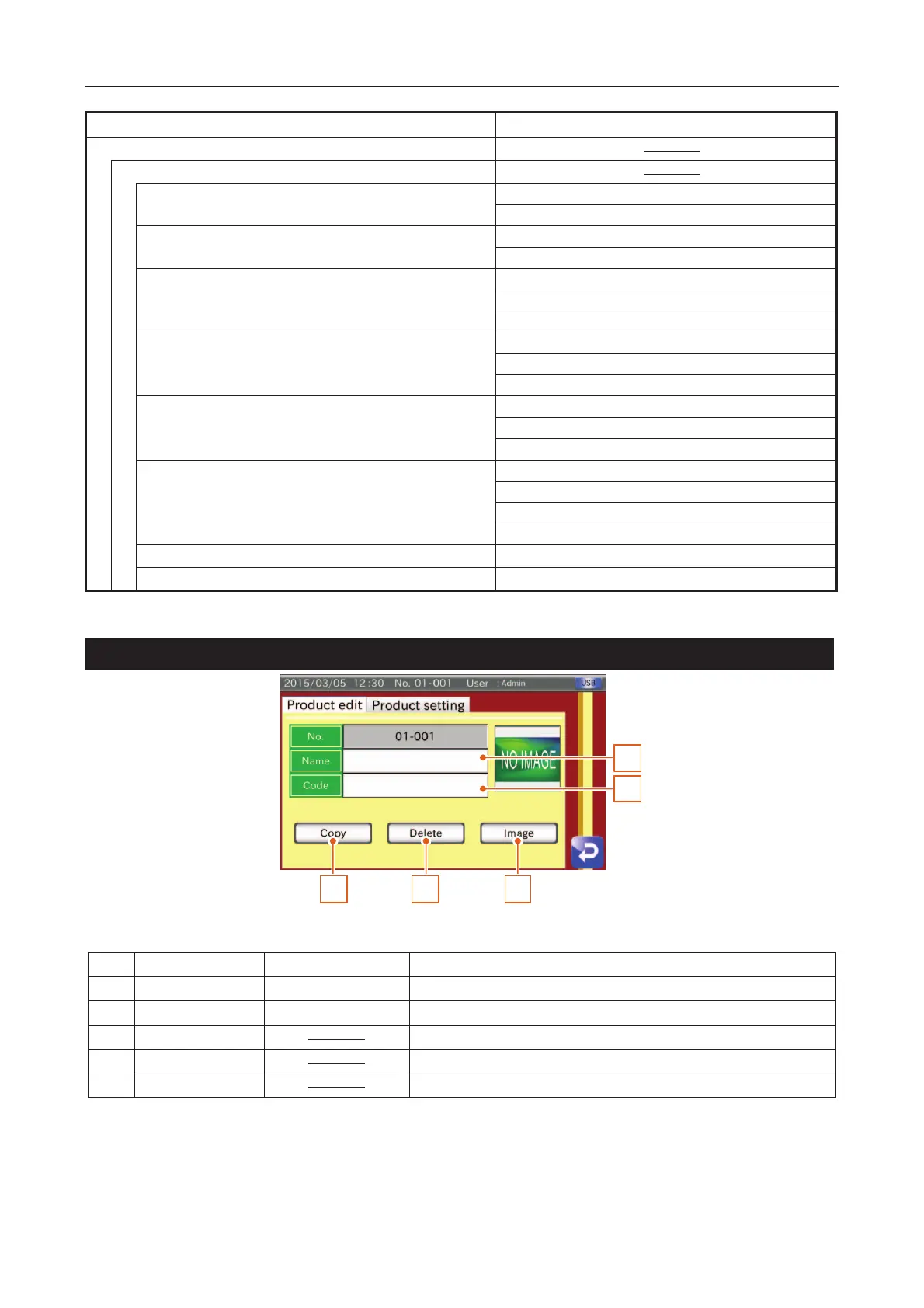
Product Settings Screen (Product Edit Tab)
1
2
3 4 5
Fig. 550 PProduct Settings Screen (Product Edit Tab)
Registers the product name.
Registers the product code number.
Copies product settings of the product inspected.
Deletes the current settings and resets the registration.
Selects an image from the USB memory.



 To Next Page